Gridwright
Icons are often the most-viewed art in a game: players look at their inventory, hotbar and buff bar constantly. Good pixel art icons are readable at a glance, consistent in size and style, and easy to tell apart. Here is how to choose a set that fits your game.
16x16 or 32x32?
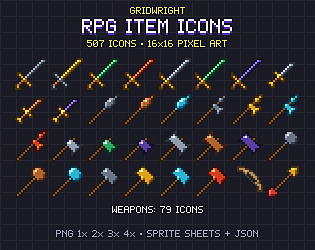
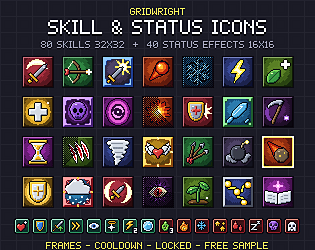
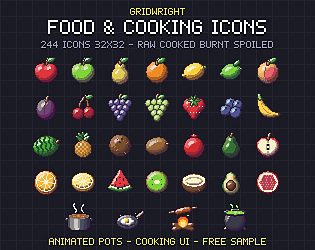
16x16 icons suit dense inventories, loot lists and small screens, and match 16x16 tilesets. 32x32 icons have room for detail and suit skill bars, crafting menus and close-up item views. Gridwright’s RPG Item Icons are 16x16; the Skill Icons and Food Icons are 32x32, with the 40 buff and debuff icons at 16x16 for small status bars.
Show tiers with materials and colours
Players read upgrades faster when the same shape comes in different materials. The RPG Item Icons pack draws weapons and armour in 8 materials, potions as 8 bottle shapes in 10 colours, and gems as 10 cuts in 10 colours, so an iron, steel and gold sword are clearly the same item at different tiers.
Skills, buffs and debuffs
- Group skill icons by class or element so players learn colours quickly. The Skill Icons pack has 8 icons for each of 10 schools, from Warrior to Arcane.
- Use a locked or greyed version for skills not yet available; every Gridwright skill icon includes one.
- Separate buffs from debuffs visually: the pack puts buffs on green plates and debuffs on red, with plain versions for markers above a character.
- Include frames and a cooldown overlay if your hotbar needs them.
Test icons at real size
- Place icons in your actual slot or frame at the camera scale you ship with.
- Check them on light and dark backgrounds.
- Scale only by whole numbers (2x, 3x) with nearest-neighbour filtering.
- Use the file names to map icons to item IDs in your data instead of renaming hundreds of files.
Food, crafting and survival
Cooking and survival games need states as well as items. Gridwright’s Food & Cooking Icons include 240+ icons at 32x32, with meat raw, cooked and burnt, plus meals, drinks and cookware.
Licence and samples
These packs can be used in commercial games but not resold as files. Each itch.io page has a free sample: test it in your inventory before buying.