Gridwright
A pixel art tileset is a collection of reusable terrain and scenery pieces. Instead of drawing each room or field separately, you arrange these pieces on a map. Choose a pack for the camera and locations your game actually needs, then test its sample before committing to a full level.
Start with perspective, not just tile size
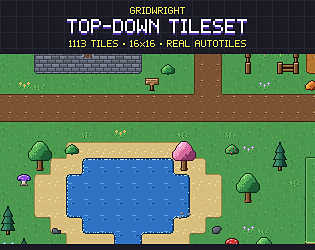
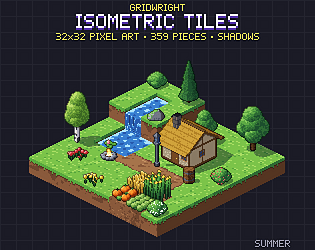
Top-down, side-view and isometric tiles solve different problems. Gridwright’s Top-Down Tileset uses a 16x16 grid for grass, sand, snow, water, cliffs and props. The Isometric Tileset uses 32x32 blocks and buildings. These are different map perspectives: a matching file format does not make them interchangeable.
Check the pieces your first scene needs
- List the ground, walls, corners, transitions and props needed for one small scene.
- Check the screenshots for joins between terrain types, not only isolated tiles.
- If the pack advertises autotiles, check which terrain sets are included; do not assume every engine has preconfigured terrain rules.
- Check the stated grid, sheet layout and README before combining it with another pack.
Test the sample at its native size
Gridwright advertises a free sample for each paid pack. Download it on the pack’s itch.io page, read the README, and check the actual sample contents. Packs provide single PNGs and sprite sheets at 1x, 2x and 3x, with JSON maps. Begin with the 1x files so the pixel dimensions match the documented base grid; a 2x image needs correspondingly scaled cell dimensions.
Build a small map before a whole level
- Create a map using the pack’s stated perspective and tile dimensions.
- Import the PNG sheet or individual tiles. Use the README and JSON map to identify cells; JSON is documentation, not a promise of automatic engine import.
- Place a small patch of ground, then add an edge, a corner and a prop. Inspect seams at the camera scale you plan to use.
- If using autotiles, configure the editor’s terrain connections and test every edge and corner used in your scene.
- Add your character and check its visual scale and movement space. Configure collisions separately unless the download explicitly includes them.
Choose an engine workflow you can verify
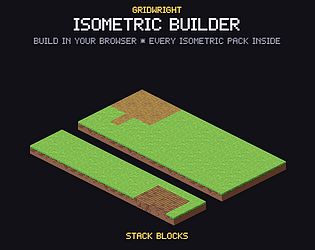
For Godot or Unity, start with PNG tiles and follow your engine version’s tilemap workflow using the dimensions in the pack README. Do not treat PNG compatibility as a ready-made engine project. If you want Gridwright’s dedicated isometric tool instead, the Isometric Builder lists 440 pieces from seven packs and Godot, Tiled and PNG export; check that product’s documentation for the export you need.
Check usage rights before shipping
Gridwright permits using and modifying its assets in personal and commercial projects, including shipping them inside your game. It does not permit resale or redistribution of the standalone assets. Credit is appreciated, not required. Keep the pack’s licence with your project records, and check other creators’ terms separately when mixing assets.
A practical first choice
For a top-down outdoor map, begin by testing the 16x16 Top-Down Tileset sample. For a block-based isometric scene, inspect the 32x32 Isometric Tileset. The packs below show the documented contents and link to itch.io for samples and purchase.