Background music in a game has to play for as long as the player stays in a place: thirty seconds in a shop, an hour in a dungeon. Nobody writes an hour of music for that. The track loops, and the loop is where many indie games sound unfinished: a click, a short gap, a reverb tail that stops dead, or a jump in volume when the music starts over. This guide explains what makes a loop seamless, how intro and loop points work, how to set them up in the common engines, and how stems and calm versions make the same music last longer.
Why music clicks or gaps when it loops
A loop sounds broken for one of four reasons, and they need different fixes:
- The file has silence at the start or the end. MP3 encoders add a little padding at both ends, so an MP3 almost never loops without a gap. Use OGG Vorbis or WAV for anything that loops.
- The loop is not a whole number of bars. If the file is a few milliseconds too long or too short, the beat stumbles every time it starts over.
- The tail is cut off. Notes that ring past the end of the last bar, echo and reverb all stop dead at the end of the file, and the start of the file has none of them.
- The two ends do not meet. If the last sample and the first sample are far apart, the speaker jumps and you hear a click, even when everything else is right.
Fading out at the end and in at the start hides the click but adds an audible dip every time. It is a patch, not a loop.
What a seamless loop really is
A seamless loop is a file that sounds as if the music had been playing forever. The end of the file has to flow into the start of the file exactly the way bar 16 flows into bar 17 in the full piece. That means the start of the file must already contain the ringing notes, echo and reverb that come from the end of the loop.
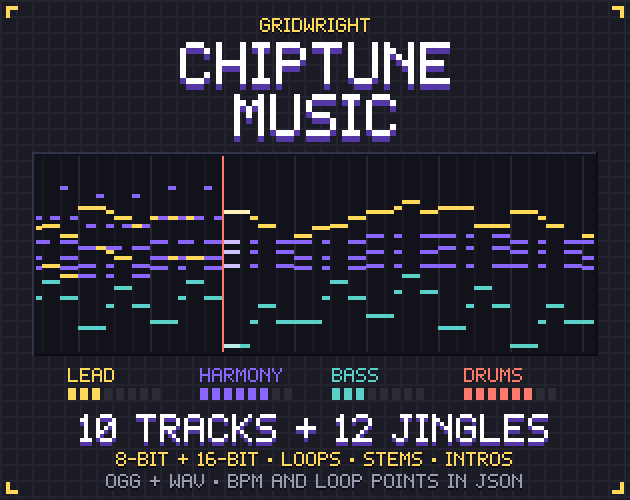
In a music program you get this by rendering the loop section twice in a row and keeping the second pass, or by mixing the tail of the export back onto its start. When music is rendered in code, as in our Chiptune Music pack, the loop can be mixed in a circular buffer that is exactly as long as the loop, so anything that runs past the end comes back in at the start by itself. Either way, check the result by playing the loop three times in a row with your eyes closed.
Intro plus loop: the two-part track
Most game tracks have a short intro that should play once: a drum fill, a pickup, a rising chord. After the intro, the body loops. There are two common ways to ship this:
- Two files: play the intro file, and start the loop file exactly when the intro ends. Simple, but the hand-over has to be timed to the sample, or there is a gap.
- One file with loop points: the file holds the intro and the loop, and two numbers say where the loop starts and ends. The player plays from the beginning, and every time it reaches the loop end it jumps back to the loop start.
Loop points are counted in samples, not seconds, because a few samples matter. At 44,100 samples per second, a loop start of 211,784 is 4.802 seconds in. Keep them as whole numbers and convert to seconds only when an engine asks for seconds.
Where loop points are stored
There is no single standard, so good music packs store them in more than one place:
- WAV files can carry a sampler chunk named smpl with a loop start and end. Godot reads it on import.
- OGG files can carry the comments LOOPSTART and LOOPLENGTH. RPG Maker uses this convention, and several engines and players read it.
- A data file (JSON or CSV) next to the music with the loop start, loop end, length, key and BPM of every file. Any engine can read it, and you can use it in your own audio code.
Setting up loops in your engine
- Godot 4: import the WAV and leave Loop Mode on Detect From WAV, and the loop points from the file are used. For an OGG, tick Loop in the import settings and set Loop Offset to the loop start in seconds.
- Unity: for a plain loop, tick Loop on the Audio Source. For intro plus loop, either schedule the loop file with PlayScheduled at the exact moment the intro ends (using AudioSettings.dspTime), or watch timeSamples and jump back to the loop start yourself.
- GameMaker: audio_play_sound with the loop flag set plays the whole file in a loop. Newer versions have audio_sound_loop_start and audio_sound_loop_end to loop only part of a sound.
- RPG Maker MV and MZ: OGG files with LOOPSTART and LOOPLENGTH comments loop on their own.
Whatever the engine, set the music to stream rather than load fully if the file is long, and test the loop point in the build, not only in the editor.
Stems and calm versions: adaptive music on a budget
Stems are the parts of a track as separate files that add up to the full mix: for example lead melody, harmony, bass and drums. Start all of them at the same moment, loop them all, and change only their volumes. Drums come in when combat starts and fade out when it ends; the lead plays only near the goal; a menu keeps the bass and harmony. One track turns into several moods without a single cut.
A calm version is a ready-made mix of the stems without the lead melody, at the same length as the loop. Crossfade to it when dialogue boxes open or the pause menu comes up, and back when they close. Because the two versions share the same timing, the crossfade never sounds like a new song starting.
- Start every stem on the same clock in the same frame, and never seek one on its own.
- Crossfade over half a second to two seconds; shorter sounds like a mistake, longer like a fade-out.
- Keep stems at the same sample rate and length, or they drift apart over minutes.
Endings, jingles and the music between scenes
A loop never ends, but a level does. A full version of a track with a proper ending is useful for cutscenes, trailers and the moment a boss falls. Short jingles cover the rest: level start, level complete, item found, game over. Play a jingle over the music with the music turned down for its length, or stop the music, play the jingle and start the next track after it. Short sounds like coins and doors belong to sound effects rather than music; our Retro Sound Effects come in the same 8-bit and 16-bit styles as the chiptune tracks.
Loudness: why every track should match
If one track is much louder than the next, players reach for the volume button every time the scene changes. Master all tracks to one integrated loudness target and keep the true peak below the ceiling, for example -16 LUFS with peaks at or below -1 dBTP, which is how our chiptune pack is mastered. Use the same gain for every version of a track, so the loop, the calm version and any stem mix play at the same level.
A checklist before you ship
- Every looping file is OGG or WAV, never MP3.
- Each loop is a whole number of bars, and its start contains the tails from its end.
- Loop points are whole sample numbers, written in the files and in a data file.
- The loop has been played three times in a row in the built game, on speakers and headphones.
- All tracks are mastered to the same loudness, with peaks below -1 dBTP.
- Stems start together and change only in volume.
If you are building a whole game around this, the Gridwright Survivors Template shows a finished Godot 4 project with music and sounds wired in, and the chiptune pack gives every track as a loop, an intro plus loop with loop points, a full version, a calm version and four stems in both 8-bit and 16-bit.
Gridwright packs can be used in commercial games; you may not resell the files themselves. Packs released from October 28, 2026 ask for a credit: “Art by Gridwright” with a link (each pack’s LICENSE.txt says which applies). More on that in can I use game assets in a commercial game.