3D Sprite Rotator
4, 8 and 16 direction sprite sheets
Drawing a sprite from every direction is the slow part of a top-down or isometric game. The 3D Sprite Rotator builds one model and turns it for you: draw a front, side and top view and it carves them into voxels, or paint slices, or use the 3D brush on the turntable.
It renders hard-edged pixel frames with its own light and outline, as true 3D or as a sprite stack. A report marks in red any pixel of your drawing the carve lost, so you can fix it before you export.
The full edition takes larger models and any angle count up to 64, locks to our pack palettes with optional dither, and imports and exports .vox files.
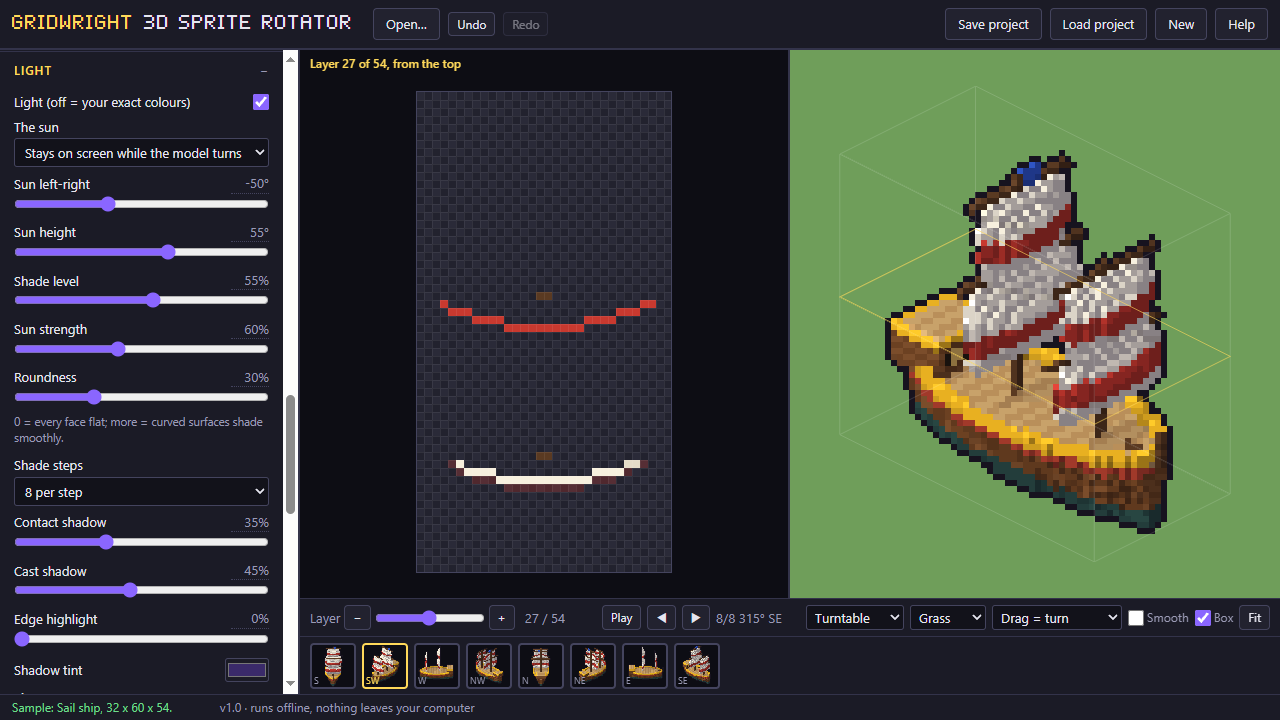
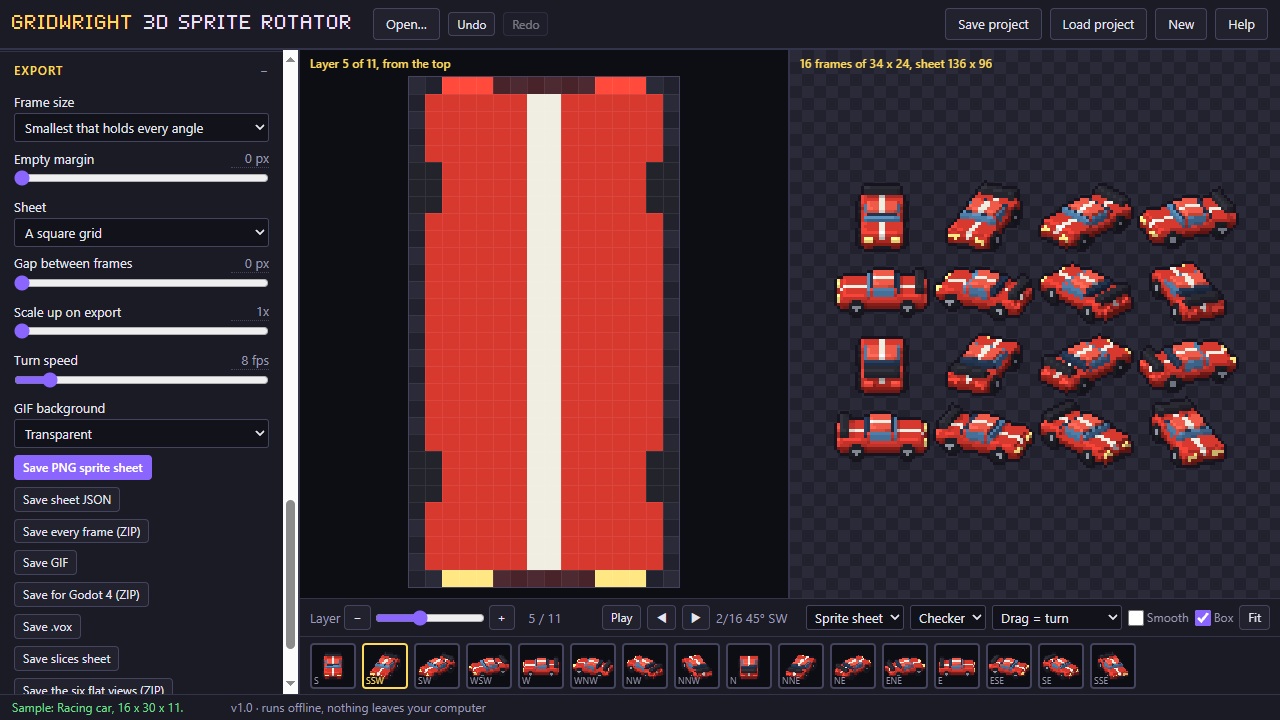
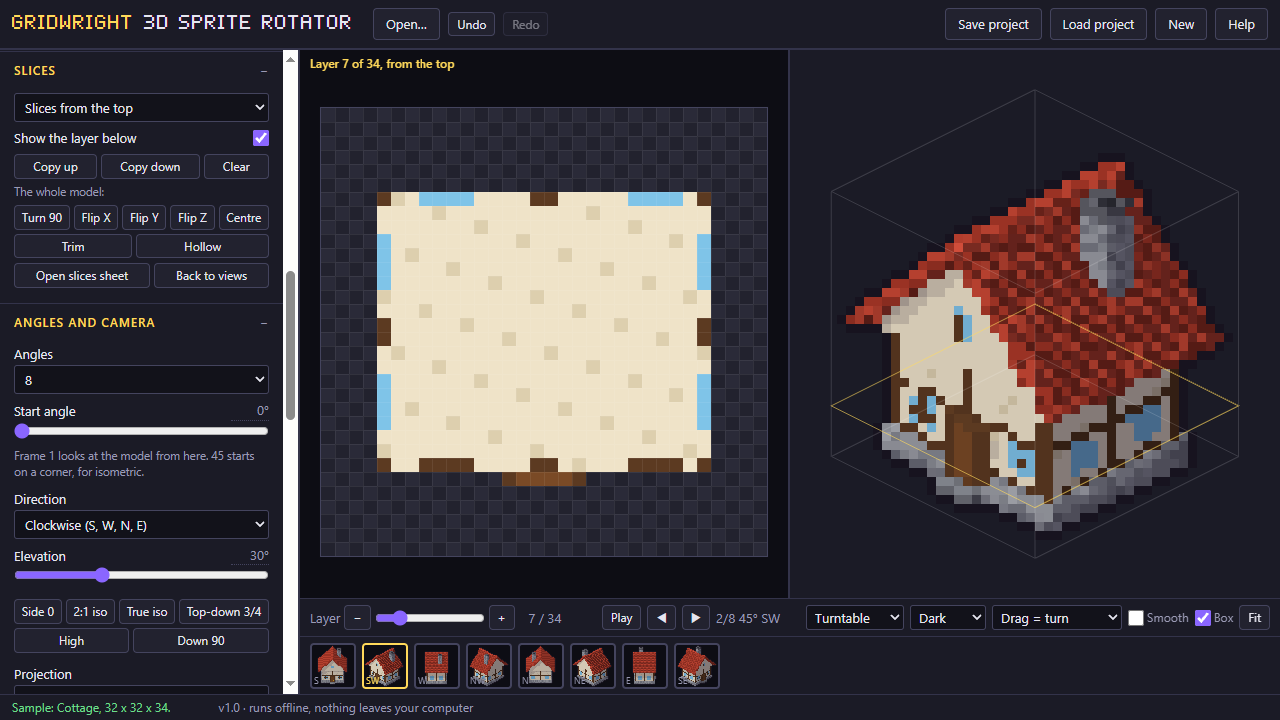
A first session
- 1Start from a sample, or draw the front, side and top views.
- 2Check the report, and fix lost pixels in the slices or with the 3D brush.
- 3Set the light, the outline and the number of angles.
- 4Save the sprite sheet.
- It exports
- PNG sheet
- JSON + frames ZIP (Pro)
- GIF (Pro)
- Godot 4 (Pro)
- .vox (Pro)
- Free and Pro
- Free: models up to 32 per side, 4 angles, PNG sheet, 5 samples. Pro: up to 128 per side, 8, 16 or up to 64 angles, JSON, frames ZIP, GIF, Godot 4, .vox import and export, project files.
- Version 1.0. Runs in Chrome, Edge, Firefox and Safari; nothing to install.
- Can I use what I make in a commercial game?
- Yes. What you make with the tools is yours to use in your games, commercial ones too, under the Gridwright licence.