Fishing is one of the most common side activities in cozy games, farming sims and RPGs, and one of the easiest to get wrong. Players will repeat it hundreds of times, so a fishing minigame has to be quick to read, fair, and just varied enough that the next cast still feels worth it. This guide breaks a fishing minigame into its parts: the four beats of a cast, the two catch mechanics that work best, how to make each fish behave differently, and the art you need so every moment has clear feedback.
The loop in four beats: cast, wait, bite, reel
Almost every fishing minigame follows the same rhythm. Getting each beat to read clearly matters more than any clever rule you add later.
- Cast: the player throws the line. Show a splash where the bobber lands and a ring of ripples spreading out, so the eye goes straight to it.
- Wait: the bobber floats and bobs gently. This is the calm part, a few seconds where nothing is asked of the player.
- Bite: the bobber dips and goes under, and a clear alert appears. The player now has a short window to react.
- Reel: the catch mechanic starts. Win it and the fish comes out with a splash and a reward card; lose it and the line comes back empty.
Each beat needs its own sprite or animation. A bobber that only has one frame makes the wait feel dead and the bite impossible to see coming, so plan at least three states for it: idle, nibble and bite.
Nibbles: the small dips that make the bite exciting
If the only thing that ever happens is the real bite, players stop watching and react to the alert alone. A nibble is a short, smaller dip of the bobber that does not count. Mixing one or two nibbles before the real bite turns the wait into a game of patience: react too early and the fish swims away, wait for the deep pull and you hook it.
Keep the rules readable. A nibble should be a quick shallow dip with a small ripple, while the bite should pull the bobber clearly under the surface with a splash and the alert. Give the player a reaction window of under a second for the bite, and make it a little longer for easy fish and early in the game, when players are still learning the timing.
Two catch mechanics that work: the catch bar and the tension meter
Once the fish is hooked, the reel phase decides whether it is caught. Two designs cover most games.
The catch bar is a vertical bar with a fish marker that moves up and down inside it. The player controls a catch zone, usually by holding a button to lift it while gravity pulls it down, and tries to keep the zone over the fish. A progress bar beside it fills while the fish is inside the zone and drains while it is outside. Full means caught, empty means the fish got away.
The tension meter is a horizontal gauge with green, yellow and red areas and a needle. Reeling pushes the needle up, pausing lets it fall, and the fish pulls it around on its own. Keep the needle in the green to wear the fish down; stay in the red too long and the line snaps. It suits games where reeling is a held button or a trigger.
- Zone size: a bigger catch zone or a wider green area is the simplest way to make a rod upgrade feel stronger.
- Fill and drain speed: slower draining forgives mistakes; use it for easy fish.
- Fish speed and how often it changes direction: this is where difficulty really lives.
- A perfect bonus: a second, smaller zone inside the first rewards skilled players without punishing anyone else.
Both bars are 9-slice pieces at heart: the frame stretches to any height or width while its corners keep their shape. If that is new to you, read what 9-slice scaling is before you build the UI.
Give every fish its own movement
If all fish move the same way, the hundredth catch feels like the first. A movement style per fish fixes that with very little code. A handful of styles is enough:
- Steady: moves at an even pace, good for common fish and new players.
- Darting: sudden fast dashes, the classic hard fish.
- Sinking: pulls down and holds near the bottom of the bar.
- Floating: drifts up and lingers near the top.
- Mixed: switches between all of them, for the rarest fish.
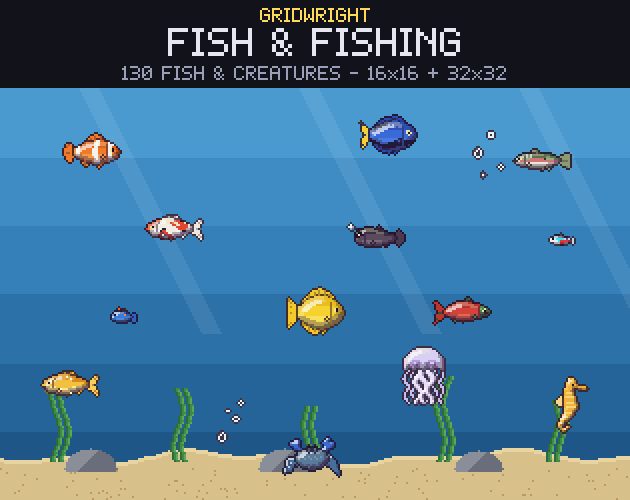
Add a difficulty number from 1 to 5 that scales the speed and how often a fish changes direction, and you can tune the whole roster from one table. In Gridwright Fish & Fishing every fish has exactly these fields in fish.json, next to its name, habitat, rarity, typical length in cm, a suggested price and the time of day, so the table is already filled in for 130 fish and water creatures.
Rarity, habitats and time of day
A fishing collection is fun to complete when it has a shape. Habitats decide where a fish can be caught: rivers, lakes, the coast, a coral reef, the open ocean, the deep sea, cold water, swamps. Time of day decides when, so night fishing has its own catches. Rarity decides how often, usually as a weighted roll among the fish that fit the place and the hour.
Keep rarity readable everywhere it appears: the same five colours on the catch card, the slot frames of the collection log and any badge in the shop. Players learn colours faster than words.
The reward: a catch card and a collection log
The moment after the catch is the payoff, so give it a moment. A small card with the fish icon in a rarity-coloured slot, its name, the place and a size works well. Roll the size from the fish's length range so two catches of the same fish still feel different, and let bigger catches sell for a little more.
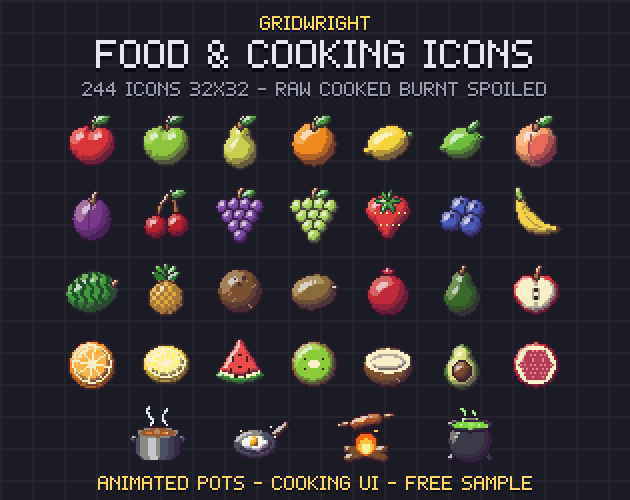
The collection log is what brings players back. Show every fish that exists, with uncaught ones as dark silhouettes, so players can see what is still missing and guess where to look. Caught fish can be sold, cooked or turned in for quests; if your game has cooking, food icons such as those in Gridwright Food & Cooking Icons, which include fish raw, cooked and burnt, connect fishing to the rest of the game.
Junk, treasure and upgrades
Not every cast should bring up a fish. A few junk catches, like an old boot or a tin can, make the good rolls feel better, and rare treasure such as a small chest or a pearl gives players a reason to cast in strange places. Upgrades give the minigame a long-term goal: better rods widen the catch zone, special bobbers make bites easier to see, and lures or bait shift the odds toward certain fish.
The art checklist
Before you start, list every sprite the minigame needs. Missing feedback is the most common reason a fishing system feels flat.
- Fish icons for the inventory and the collection log, plus silhouettes for undiscovered fish.
- Swimming fish for aquariums or underwater scenes, facing both ways.
- Fish shadows that move in the water, so players can see where to cast in a top-down game.
- A bobber with idle, nibble and bite animations, and a cast splash, ripples, a bite alert and a catch splash.
- The catch bar or tension meter, a progress bar, a reel button and rarity slots.
- Rods, bobbers, lures and bait as items for the shop and the upgrades, plus junk and treasure.
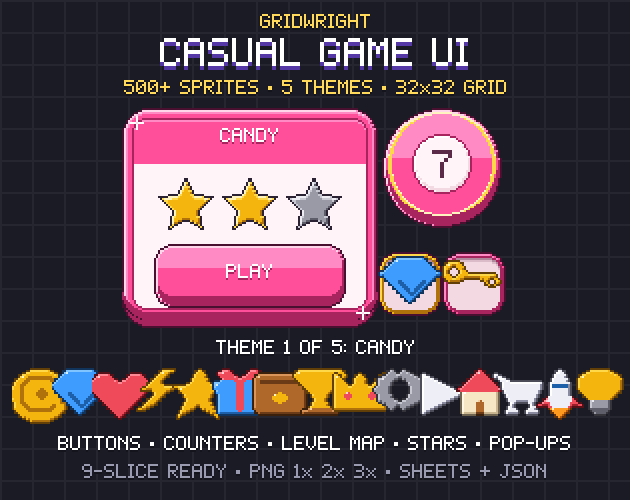
Gridwright Fish & Fishing covers that whole list in one style, with every fish at 16x16 and 32x32 and a 4-frame swim loop facing right and left. For the buttons and pop-ups around the minigame, Gridwright Casual Game UI fits cozy and mobile games. If you work in Godot, importing pixel art sprite sheets into Godot 4 explains how to keep all of it sharp.
Gridwright packs can be used in commercial games; you may not resell the files themselves. Packs released from October 28, 2026 ask for a credit: “Art by Gridwright” with a link (each pack’s LICENSE.txt says which applies). The details are in can I use game assets in a commercial game.