Gridwright
The camera view is one of the first decisions in a 2D game, and one of the hardest to change later. It decides how your tiles are drawn, how many directions every character needs, how collisions work and how much art the game will cost. The two most common views for pixel art games are top-down (often called three-quarter view) and isometric. This guide compares them so you can pick with your eyes open.
What each view is
In a top-down or three-quarter view the map is a square grid seen from above and slightly in front. Floors are squares, and walls, trees and characters show their front face, so you see the top of a table and the front of the person standing next to it. Most farming games, Zelda-likes and many roguelikes use it. Common tile sizes are 16x16 and 32x32.
In an isometric view the map grid is turned 45 degrees and seen from above at an angle, so each cell becomes a diamond. Pixel artists almost always use a 2:1 diamond, for example 32 pixels wide and 16 tall, because 2:1 lines are clean steps of two pixels across and one down. You see two sides of every block, so height becomes visible: cliffs, stairs, multi-storey buildings and towers read naturally. Tactics games, city builders and many action RPGs use it.
Art cost
Top-down art is cheaper to make. A wall or a tree is drawn once, characters usually need four directions (down, up, left and right, with left often a mirror of right), and tiles are squares that are easy to make seamless.
Isometric art costs more. Every solid object shows two faces and a top, buildings and furniture often need two or four rotations, and characters look best in eight directions because players move diagonally along the grid. Lighting has to be consistent on every face. For comparison, Gridwright Top-Down RPG Characters draws 16 characters in 4 directions with 24 frames each, while Isometric Characters draws 10 characters in 8 directions with 2,864 frames in all. That difference is typical.
Tiles and autotiles
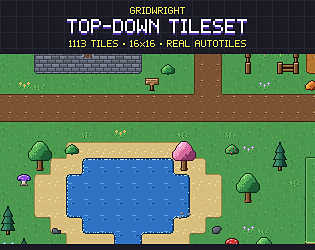
Top-down maps use autotiles: sets of tiles chosen by their neighbours so terrain edges join automatically. A full 47-tile set handles every corner and edge. Gridwright Top-Down Tileset ships 47-tile sets for grass, dirt, sand, snow, cobble, water and lava, with the neighbour bitmask in each file name.
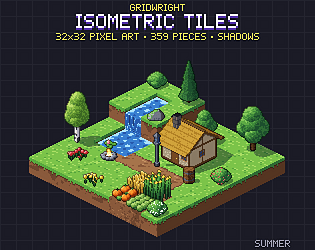
Isometric maps are usually built from stacked blocks instead of flat edge tiles: a column of blocks is a cliff, a half block is a step, a ramp is a slope. Edges matter less because the sides of the blocks show the height. Roads, fences and walls still use joins by neighbours. Gridwright Isometric Tiles has blocks in 11 materials, ramps and stairs, water, roads that join and ready-made buildings on a 32x16 diamond.
Movement and controls
Top-down movement maps directly to the screen: up on the stick moves up the screen. Isometric movement has a choice to make. Either up moves up the screen, which crosses the diamond grid diagonally, or up moves along a grid axis, which looks diagonal on screen. Screen-relative controls feel natural for action games; grid-relative movement suits tactics games where units step from cell to cell. Decide this early, because it affects animation directions and level layout.
Draw order and collisions
In both views, things lower on the screen are drawn in front. Top-down games mostly get away with sorting sprites by their bottom edge, which most engines can do for you (Y Sort in Godot, sorting by pivot in Unity). Isometric maps with height need a little more care: sort by the cell's depth (row plus column), then by height, and draw each tall object with the cell it stands on. Collisions follow the grid: rectangles in top-down, diamond footprints and height levels in isometric.
Engine support
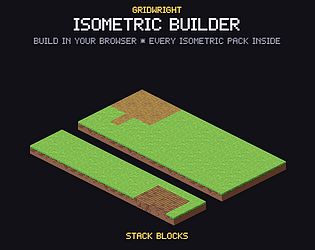
Both views are well supported. Godot 4 tile sets can be square or isometric, Tiled has orthogonal and isometric maps, and Unity's Tilemap supports isometric and isometric Z-as-Y layouts. Isometric maps with several height levels usually need either separate layers per height or objects placed by hand. If you want to lay out isometric scenes visually first, the Isometric Builder builds them in the browser and exports Godot scenes and Tiled maps.
Which genres suit which view
- Top-down: action adventures, farming and life sims, roguelikes, twin-stick shooters, survivors-likes, cozy games, most RPGs with small teams.
- Isometric: tactics RPGs, city and colony builders, strategy games, action RPGs that want height and depth, dioramas and puzzle games built around levels.
- Either: dungeon crawlers, survival games and RPG towns. Here the choice is mostly about budget and the look you want.
Readability
Top-down maps are easier to read at a glance: the grid matches the screen, and players judge distances instantly. Isometric maps look richer but can hide things behind tall objects. If your gameplay depends on seeing every enemy, plan for it with cut-away walls, transparency behind characters, or low walls where it matters. Isometric Interiors includes low cut-away versions of every wall for exactly this reason.
A quick way to decide
- If the team has one artist or none, and the game has many characters: top-down.
- If height is part of the gameplay (cliffs, towers, multi-level buildings): isometric.
- If the game is about precise action: top-down, or isometric with screen-relative controls.
- If the game is about building and planning: isometric.
- If you cannot decide: mock up one screen in each view with real assets and look at both on the target screen.
Mocking up both is cheap with ready-made assets. Gridwright has a full 16x16 top-down family (terrain, dungeon, village, farm, town and characters on one grid) and an isometric family (tiles, interiors, graveyard, dungeon and caves, castle and siege, characters, monsters and a character creator on one 32x16 diamond). The Isometric Builder's free demo is the fastest way to see how your idea looks in isometric before you commit. For more on grids, read how to choose a pixel art tile size and choosing and using pixel art tilesets.