What's in the pack
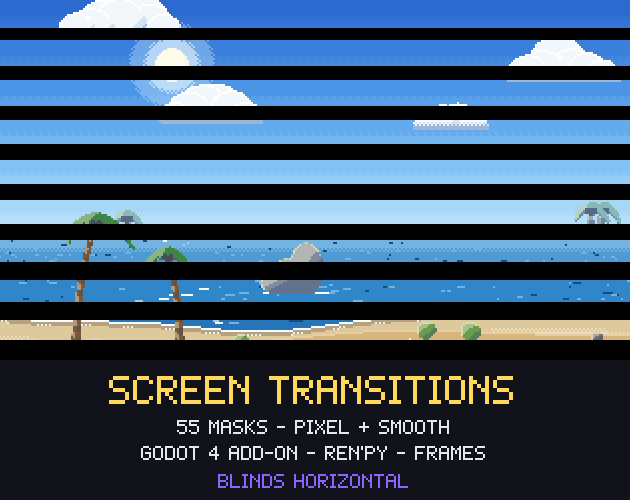
55 screen transitions in one pack, each in a pixel art and a smooth version, with a Godot 4 add-on that changes scenes in one line, a Ren'Py file, and ready-made frame animations for any other engine. Wipes, irises (heart, star, eyelids), diamonds and hearts in tiles, blinds, spirals, clocks, pixel dissolves, glitch and melt.
Licence in one line: use them in any personal or commercial game; do not resell the assets.
What you get
- 55 transition masks (grayscale pictures: dark is covered first, white last) at 320x180 (pixel art: sample with nearest filtering and scale by 4 or 6), 1280x720 and 1920x1080 (smooth).
- Godot 4.4+ add-on: enable it and
await Transition.change_scene("res://level_2.tscn", "diamonds_left"). Alsocover()andreveal(), with colour or texture fill, soft or hard edge, invert, flip, a pixel art mode and a pixelate effect. One shader for every mask, also your own masks. A demo project to try them all. - Ren'Py:
scene bg street with gw_iris_circle: an ImageDissolve for every mask, at your game's size. - Frame sheets for any engine: 16 frames per transition (black with alpha, 320x180), so GameMaker, Unity, Defold or LÖVE can play them as sprites with no shader at all.
- viewer.html: open it in a browser and try every transition before you choose.
transitions.jsonand a README with the setup for Godot, Ren'Py, Unity and GameMaker.
The 55 transitions
- Wipes (12): wipe right, wipe left, wipe down, wipe up, wipe down right, wipe down left, wipe up right, wipe up left, wave wipe, zigzag wipe, torn wipe, chevron wipe.
- Irises (8): iris circle, iris diamond, iris square, iris heart, iris star, iris cross, eyelids, corners.
- Tiles (10): diamonds left, diamonds centre, diamonds diagonal, circles left, circles centre, squares diagonal, hearts left, stars centre, checker, hexagons left.
- Blinds (6): blinds horizontal, blinds vertical, blinds diagonal, doors horizontal, doors vertical, tv off.
- Radial (8): clock, clock double, pinwheel, starburst, spiral, spiral squares, snake, rings.
- Dissolves (11): pixel dissolve, mosaic dissolve, block dissolve, dither fade, dither wipe, noise burn, noise wipe, glitch, melt, bars random, interlace.
Why these
- Even speed: every mask is equalised, so at 50% exactly half the screen is covered. A heart iris and a wipe take the same time to feel finished.
- Pixel art and smooth from the same shapes: the 320x180 masks are exact at 6x for a 1080p pixel art game; the HD masks give clean soft edges.
- Tested in Godot 4.7.2 by our build: every mask loads, the shader covers the share of the screen the progress asks for (measured on Godot's own renders), and
change_scene()changes the scene and hides the overlay.
What it does not include
No sound effects, no Unity or GameMaker script (the README shows the one shader line they need, and the frame sheets work everywhere), no 3D transitions. The backgrounds in the previews are from our Parallax Backgrounds pack, sold separately (two are in the Godot demo).
Licence
Use and modify them in personal and commercial games and apps, and ship them inside your game. Do not resell or redistribute the masks, frames or add-on themselves. Credit is appreciated, not required. Not for AI training or NFTs.
How it was made
Every mask is computed by code (Python, numpy): shapes in screen space on a 16x9 tile grid, random cells from fixed seeds, then ranked so the coverage is even. The add-on and the Ren'Py file are code too. No image generator, no third-party art. The code was written with AI-assisted tools, which is why the page is tagged AI Assisted.