Three grid sizes come up again and again when people plan a pixel art game: 16x16, 32x32 and 48x48. Our guide on how to choose a pixel art tile size works from the screen down: pick a base resolution, then a tile that fills it. This post puts the three sizes next to each other instead, with the arithmetic shown, so you can see what each one gives and costs before you draw a tile.
The three sizes in numbers
A tile's size sets how many pixels you place to fill it. Area grows with the square of the side, so tripling the side gives nine times the pixels.
- 16x16: 16 x 16 = 256 pixels per tile.
- 32x32: 32 x 32 = 1,024 pixels per tile, 4 times a 16x16 tile.
- 48x48: 48 x 48 = 2,304 pixels per tile, 9 times a 16x16 tile and 2.25 times a 32x32 tile.
Characters follow the grid. If a character is one tile wide and one or two tiles tall, a hero on a 16 grid is 16 or 32 pixels tall, on a 32 grid 32 to 64, and on a 48 grid 48 to 96. That height is all you have for a head, a body, legs and a weapon, and it decides how much a face can show. At 16 pixels tall the eyes are often a single pixel each, and expression comes from the pose. At 48 there is room for a mouth, eyebrows and folds in clothing.
How many tiles fit on the screen
Divide the screen by the tile size. On a 1920x1080 screen with no scaling, 1920 / 16 = 120 and 1080 / 16 = 67.5, so 16x16 tiles show 120 x 67.5 tiles. 32x32 tiles show 60 x 33.75, and 48x48 tiles show 1920 / 48 = 40 by 1080 / 48 = 22.5. Pixel art is rarely shown at 1x on a big screen, because every tile would be tiny, so the useful comparison scales each size up.
Same camera, three levels of detail
Here is the same camera at all three sizes, with every tile 96 screen pixels wide on a 1920x1080 screen:
- 16x16 drawn at a 320x180 base resolution and scaled 6x: 16 x 6 = 96.
- 32x32 at a 640x360 base resolution scaled 3x: 32 x 3 = 96.
- 48x48 at a 960x540 base resolution scaled 2x: 48 x 2 = 96.
All three show 1920 / 96 = 20 tiles across and 1080 / 96 = 11.25 down, so the player sees the same amount of world. What changes is the pixel: on the 16 grid each art pixel is a 6x6 block on the screen, and on the 48 grid a 2x2 block. With the camera fixed, choosing a size means choosing how fine the art looks and how much drawing it takes.
Keep the base resolution fixed instead and the view changes. At 640x360, 16x16 tiles show 40 by 22.5, 32x32 tiles show 20 by 11.25, and 48x48 tiles show 640 / 48 = 13.3 by 360 / 48 = 7.5. Seven and a half rows is a close camera, enough for a room and tight for a large overworld.
Whole-number scaling between the sizes
The three sizes relate by simple factors. A 16x16 tile scaled 2x covers the same area as a 32x32 tile, and scaled 3x the same as a 48x48 tile. From 32 to 48 the factor is 48 / 32 = 1.5, so a 32x32 sprite can't be scaled onto a 48 grid without some of its pixels coming out wider than others.
Scaling adds no detail either. A 16x16 tileset doubled to 32x32 is the same 256 pixels drawn as 2x2 blocks, and next to art drawn at 32x32 it looks coarser. The detail of 32 or 48 has to be drawn at that size.
Base resolutions follow the same rule. Godot's page on multiple resolutions calls 640x360 a good baseline because it scales to 1280x720, 1920x1080, 2560x1440 and 3840x2160, and 320x180 reaches those four at 4x, 6x, 8x and 12x. 960x540 reaches 1920x1080 at 2x and 3840x2160 at 4x, but 1440 / 540 = 2.67, so a 2560x1440 screen gets black bars or uneven pixels. For pixel art the same page says to set the stretch mode to viewport, the stretch aspect to keep and the stretch scale mode to integer, which rounds the scale down to a whole number and fills the rest with black bars. Our Godot 4 import guide covers the other settings.
How long the art takes
Pixel count gives a rough idea of drawing time and nothing more. Flat areas fill quickly at any size. Shading, texture and clean outlines are where the larger sizes cost you, because there is more room for a curve to look wrong and more pixels to keep in line with your palette.
Animation multiplies all of it. A four-direction walk cycle has the same number of frames at every size, and each frame at 48 has 9 times the pixels of one at 16. Characters are redrawn in every frame, so a big cast with many animations feels the grid size far more than a game with a few large scenes. At 16x16, a tile you don't like is also quick to redraw.
Mixing sizes in the interface
A game doesn't have to use one size for everything. Keep the pixel size the same and make the bigger things multiples of the grid. The three sizes share one handy number: 96 = 6 x 16 = 3 x 32 = 2 x 48, so an object 96 pixels wide lines up with all three grids.
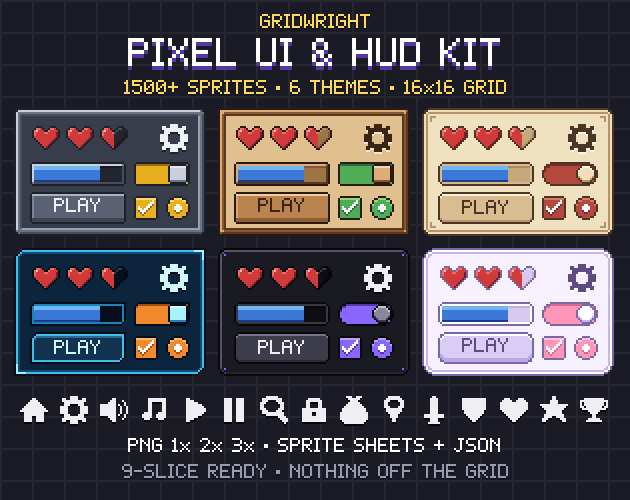
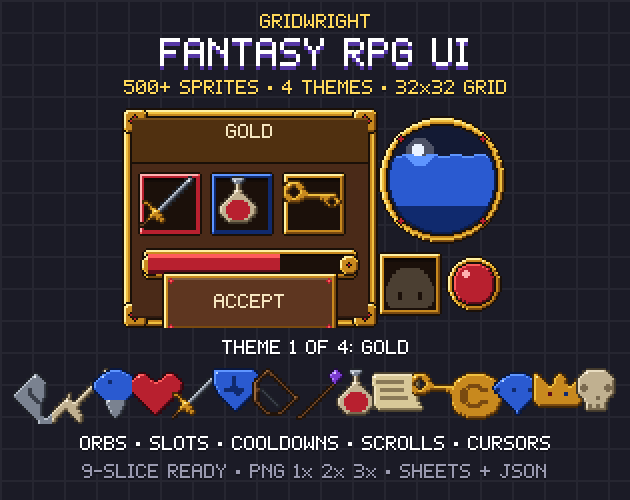
The interface is the easiest place to mix. The Pixel UI Kit is built on a strict 16x16 grid, and every sprite in it is 16, 32 or 48 pixels wide and high, so slots, buttons and panels all line up with a 16 map. Fantasy RPG UI does the same on a 32x32 grid, with sprites at 32, 64 or 96 pixels and the ornament kept in the corner cells, so its panels stretch to any size with crisp corners. Since 32 = 2 x 16, it fits a 16 world as well as a 32 one. See what is 9-slice scaling for how the stretching works.
Bosses bigger than the grid
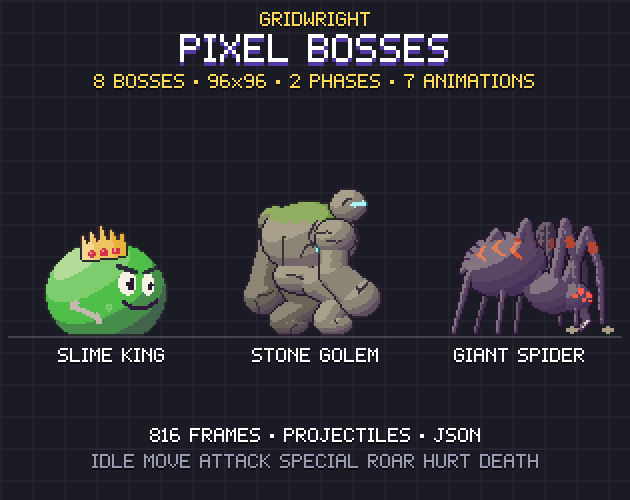
Pixel Bosses puts all 8 bosses on the same 96x96 cell, which the pack describes as 3 x 32, and standing they are 55 to 88 pixels tall at 1x. That height reads very differently on each grid:
- On a 16 grid: 55 / 16 = 3.4 to 88 / 16 = 5.5 tiles tall, towering over a one-tile hero.
- On a 32 grid: 55 / 32 = 1.7 to 88 / 32 = 2.75 tiles tall.
- On a 48 grid: 55 / 48 = 1.1 to 88 / 48 = 1.8 tiles tall, which can look small next to a hero who is already one or two tiles tall.
On a 48 grid, a boss meant to stand three tiles tall is 3 x 48 = 144 pixels, and it has to be drawn at that size. The pack's 2x and 3x files are scaled copies of the 1x art, so using one to enlarge a boss in a 1x game gives it bigger pixels than everything around it.
Which size for which game
- 16x16: big maps and many characters, as in top-down RPGs, farming games, roguelikes and platformers with long levels. It also suits a solo developer, because every sprite is quick to draw and to change.
- 32x32: games where players read objects up close, such as side-view action, item-heavy RPGs and building games full of machines or furniture. Characters have room for a readable weapon and some expression.
- 48x48: close cameras and small scenes, such as puzzle rooms, small tactics maps and story games where faces matter. Plan for the extra drawing, and check that your base resolution scales evenly to the screens you target.
- Mixed: a 16 or 32 world with interface pieces at 2x and 3x the grid and bosses on 96x96 cells, for action games built around big fights.
Try all three before you commit
Mock up one screen at each size with a hero, a few tiles, a panel and your biggest enemy, at the base resolution you would ship with, and look at each on the kind of screen your players use. Count the tiles you can see, check whether the hero reads at a glance, and count the frames your whole cast would need. Gridwright Studio has 7 free days, so you can drop the packs above into those mock-ups and compare them in your own engine.
Gridwright packs can be used in commercial games; you may not resell the files themselves. The three packs in this post were released before October 28, 2026, so for them credit is appreciated, not required. Packs released from that date ask for a credit: “Art by Gridwright” with a link (each pack’s LICENSE.txt says which applies). More in can I use game assets in a commercial game.