Search for a dungeon generator and most of what you find is made for tabletop games. Those tools are good at their job, which is to give a game master a map that looks right on a screen or on paper. A video game asks for something else. It needs to know which tile is a wall, where the player starts and whether the exit can be reached. This post goes through what a game needs from a generator, and then through the tools by how far they get you. Details come from each tool's own page, read in November 2026.
What a game needs that a picture doesn't
- Tiles, not pixels. Your engine wants a grid of tile numbers it can draw with your art, not one big image.
- Collision. Something has to say which cells block movement, and doors need to behave differently from walls.
- Places for things. A start, an exit, enemy spawns and treasure should arrive as objects your code can read.
- The shape of the level. A list of rooms and which ones connect lets you put a key before its door and a boss at the far end.
- A seed. The same seed giving the same map is what makes a bug report useful.
- Your own art. A generator that can only draw in its own style will not last past the prototype.
Tabletop tools, and when they still help
donjon's d20 Random Dungeon Generator has a long list of settings: a random seed, a motif, the map size, room layout (sparse, scattered, dense, symmetric), room size, door types, corridor style and how many dead ends to remove. It also fills the dungeon with monsters and traps from the d20 rules. It offers a map picture, a printable version, an HTML page, a PDF and a JSON document, and that JSON is the part worth a developer's look if you want to pull a layout into your own code. Its page doesn't say what terms apply to generated maps, so check before you ship one.
Dungeon Scrawl is a browser map maker for tabletop RPGs. You can draw maps by hand or generate random layouts, with no sign-up, and export them for virtual tabletops such as Roll20 and Foundry. Its posts describe UVTT files with walls, doors and lights. It is one of the nicer ways to sketch a level with someone else, and the walls in those files are made for a tabletop app, not for your engine.
Both are useful for trying out layouts before you write any code. Neither is built to hand your game a tile map.
Libraries: generate inside your game
If every run of your game should have a new map, the generator has to live in the game. rot.js is a roguelike toolkit written in TypeScript and released under the BSD licence, with maze, cellular and dungeon map creation in its manual. It is a natural fit for a web game, and you install it from npm.
Gaea is a Godot 4 add-on under the MIT licence. You build a generator as a graph of connected nodes, for 2D or 3D, and you can write your own nodes. Version 2 is built for Godot 4.4, and its page says it is in early development and may not yet suit large, complex projects, so keep that in mind if you are close to shipping.
Edgar for Unity takes a different road. You draw room templates by hand on Unity Tilemaps, then draw a graph of how many rooms there are and how they connect, and it assembles levels from those. You keep control of how every room looks, which suits games where a generated room would feel too plain. It handles dungeons, platformers and isometric levels. A Pro edition is sold on the Unity Asset Store.
In between: generate once, then keep working
Many games don't need a new map on every run. They need a good map quickly, then a designer to place things by hand. That is the job of our Dungeon & Map Generator. It runs in the browser: set a seed, a size and a few tags (compact, winding, water, loops, treasure, traps), and it lays out rooms, corridors, doors, a start, an exit and a boss room, drawn as pixel-art tiles.
The free edition does dungeons up to 64x64 and saves a PNG, which is enough to judge a layout. Getting a map into your engine takes Pro: a Tiled map with collision, terrain sets and objects for spawns and rooms, or a Godot 4 scene with a TileSet, physics layers and spawn markers, plus a JSON room graph with the walkable grid and the critical path. Pro also adds caves, overworlds, maps up to 256x256, your own tileset and batches of 50. What it won't do is run inside your game, so a roguelike that needs a new map every run should use a library.
Run time or edit time?
This is the first decision, and it settles most of the others. Generate at run time when replaying is the point, as in a roguelike, and accept that you will never see most of your levels before a player does. Your generator then has to be correct on its own, every time, on the player's machine.
Generate at edit time when levels are authored and then polished. Every map gets looked at, and you can fix a bad room by hand. There is also a useful middle road: generate a large batch, play through them, keep the good ones and let the game pick from those at random. Players see variety, and you have played every map they can get.
What to test, whichever you choose
- Every room can be reached from the start, and the exit can always be reached.
- No door opens into a wall, and no enemy or item lands inside one.
- The distance from start to exit stays in a range that suits your game. Check many seeds, not your favourite three.
- A key never ends up behind the door it opens. A room graph makes this easy to check in code.
- The seed is shown somewhere or written to your logs, so a player's bug report can be replayed.
- Tile numbers line up with your tileset. In Tiled's JSON format the first tileset always starts at 1, which trips up many generators that write tile numbers by hand.
Once the layout works, it needs art
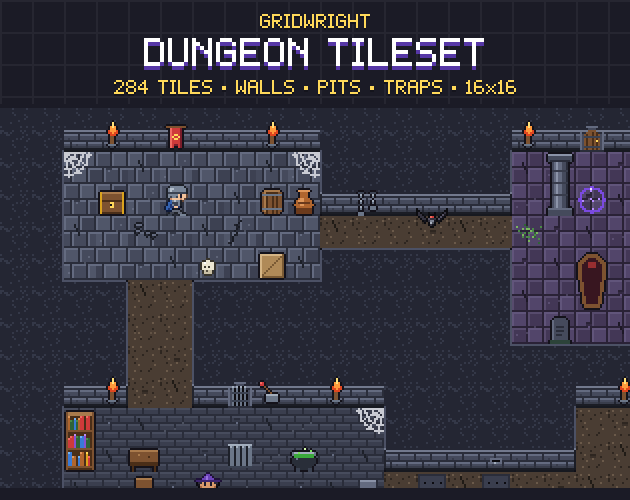
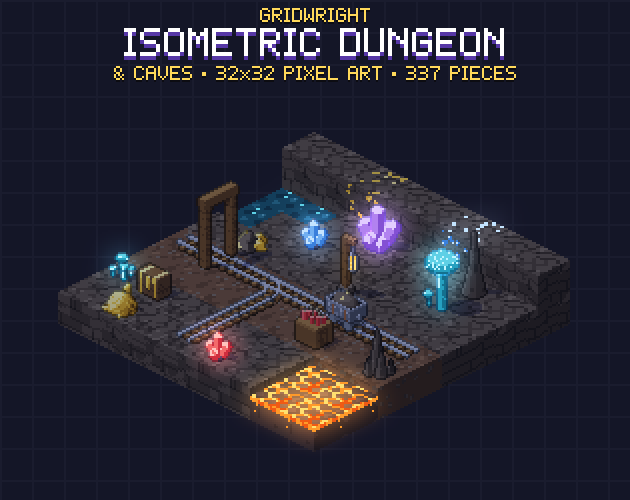
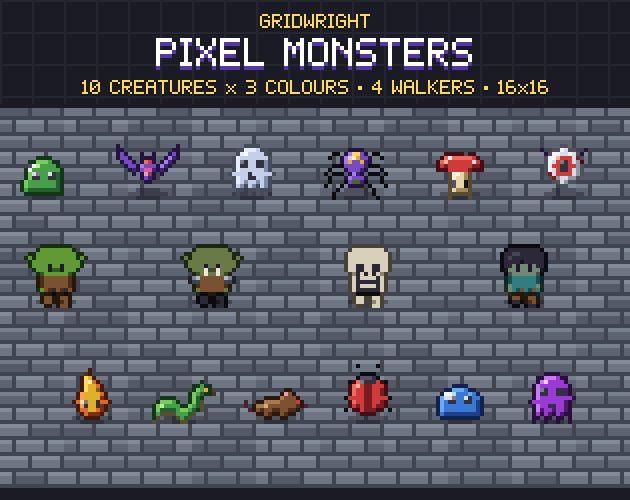
A good layout still looks like grey boxes until it has art, and walls are the hard part, because each one has to join its neighbours. The Dungeon Tileset has 284 pieces: 47-tile wall autotiles in 3 styles, pits, doors, traps and animated torches. For a 3D-looking dungeon, Isometric Dungeon & Caves has 337 pieces, and Pixel Monsters has 14 monsters to fill the rooms. If you are drawing your own walls, our guide on how to make a 47-tile blob autotile set explains how the corners fit together.
Gridwright packs can be used in commercial games; you may not resell the files themselves. Packs released from October 28, 2026 ask for a credit: “Art by Gridwright” with a link (each pack’s LICENSE.txt says which applies). More in can I use game assets in a commercial game.