A horror game is scary long before the monster shows up. Most of the dread comes from what sits between the player and the world: a grainy tape, a pulse of red at the edge of the screen, a light that only reaches a few steps ahead. These are screen effects, and you can build most of them from simple full-screen overlays that play on top of your game, with no shader code at all.
This guide covers which horror screen effects players expect, how to layer them so they read clearly, and how to set them up in Godot, Unity, GameMaker and Ren'Py. It works for 2D and 3D games, because an overlay does not care what is drawn underneath.
What a screen overlay is
An overlay is a picture the size of your screen, mostly transparent, drawn on its own layer above the game. Animated overlays are short frame sequences: either a loop, where the last frame flows back into the first, or a one-shot that plays once, like a flash or a blink. Because the overlay is just an image, it works in any engine and on any platform, and it costs almost nothing to draw.
Shaders can do some of the same things, and they are great when you need the effect to bend the picture itself, like a lens warp. Overlays win when you want a specific hand-made look, when you target an engine where shaders are awkward, or when you simply want to drop an effect in today. Many games use both: a shader for colour and an overlay for the texture on top.
The effects players expect in horror
Horror has a short list of screen effects that players read instantly. Each one tells them something without a word on the screen.
- Analog and VHS: tracking bands, colour-split glitches, static, film grain and scratches, a camcorder REC screen. They say this is found footage, or that something is wrong with the signal.
- Danger: red edges that pulse like a heartbeat, blood on the lens, blood running down the screen. They say you are hurt.
- Presence: frost creeping in from the edges, darkness reaching in, a vignette that breathes. They say something is near.
- Weather and air: ground fog, thin fog, rain on a window. They set the mood of a place.
- Light: a flashlight hole in the darkness, a first-person cone, a light that flickers when the battery dies. They decide what the player can see.
- Shocks: a white or red flash, an eye blink, a burst on the jumpscare. They punctuate a moment.
Layer effects from the bottom up
The trick to a clean horror screen is the order of the layers. Draw the world first, then the air, then danger, then the camera. Fog and rain belong close to the world; heartbeat edges and blood sit above them; tape grain, scanlines and the REC frame go on top, because they are the camera itself.
Keep each layer doing one job. A tracking band plus light static plus scanlines plus a REC frame reads as found footage. Add a heartbeat on top of that and the player still understands both messages. Stack five atmosphere layers at full strength and the screen turns to mush. Two or three layers at a time is usually enough, and lower opacity on the busy ones, like scanlines, helps the picture underneath breathe.
A full-screen tint under the overlays ties a scene together: a warm washed-out colour for home video, a cold blue for a haunted house, a red one for low health. Multiply the game's picture by one colour and the overlays on top will read as part of that world.
Flashlight masks that follow the player
The simplest way to fake a flashlight in 2D is a dark picture with a hole in it. The catch is the edge: if the mask is exactly the size of the screen, the hole cannot move to the corners without the edges of the mask showing. The fix is a mask twice the size of the screen, with the hole in the middle. Centre that mask on the player's screen position and the darkness always covers the whole screen, wherever the player walks.
A flicker sells a dying battery better than any sound: a few frames where the hole shrinks or the darkness thickens, at random. Add glowing eyes drawn above the darkness, so they are visible where the light does not reach, and the player will stop walking.
Keep pixel art crisp
If your game is pixel art, your overlays should be too. Soft gradients with half-transparent pixels look blurry next to sharp sprites. Pixel overlays use dithering instead: a fixed checker-like pattern of solid pixels whose density makes the gradient. Draw them at your game's base resolution, for example 320x180, and scale them by whole numbers (2x for 640x360, 6x for 1920x1080) with nearest-neighbour filtering, and every pixel stays square.
Setting it up in your engine
- Godot 4: put a CanvasLayer above the game, add a TextureRect stretched to the full rect with the texture filter set to Nearest, or an AnimatedSprite2D for frame sequences. Set the modulate alpha for opacity, and an add blend for glows.
- Unity: use a Screen Space Overlay canvas with an image stretched to the screen, Point filtering on the textures, and a small script that changes the frame at the right frame rate.
- GameMaker: draw the sprite stretched to the GUI size in the Draw GUI event, set the alpha before drawing, and switch to additive blending for light effects.
- Ren'Py: define the frames as an ATL image that repeats and show it on the overlay layer, so it stays above the scene and the characters.
Whatever the engine, keep the frame rate the overlay was made for. A tracking band at 12 frames a second feels like tape; the same frames at 60 look like a bug.
Effects inside the world
Screen overlays shape how the player feels; sprite effects show what is happening in the world. A ghost wisp drifting between the graves, a portal tearing open, cursed fire on an altar, tendrils rising from a pool, a puff of smoke when something vanishes. Give them a colour that means something in your game, for example green for spirits and purple for curses, and use it every time.
A ready set to start from
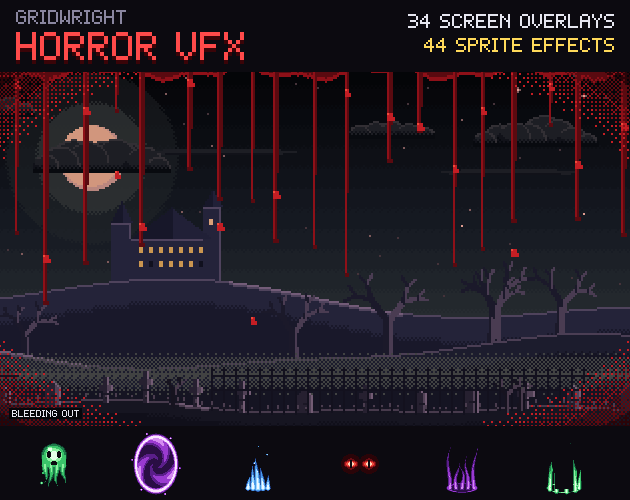
Our Horror VFX pack has 34 pixel art screen overlays drawn at 320x180 and shipped at 320x180, 640x360 and 1920x1080: VHS tracking, glitches, static, grain, scratches, scanlines, REC and tape screens, heartbeat edges, blood drips and lens blood, frost, creeping darkness, fog, rain on a window, a blink, flashes and five flashlight masks at twice the screen size. It adds 11 sprite effects at 64x64 in 4 colour sets, presets that say which layers to stack, and a JSON with the fps, opacity and blend of every file.
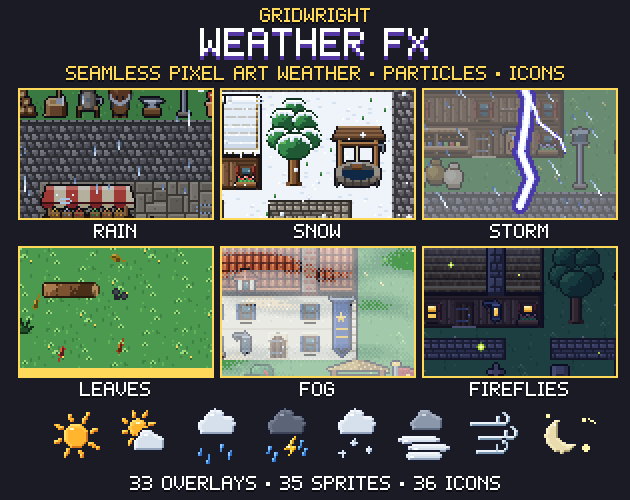
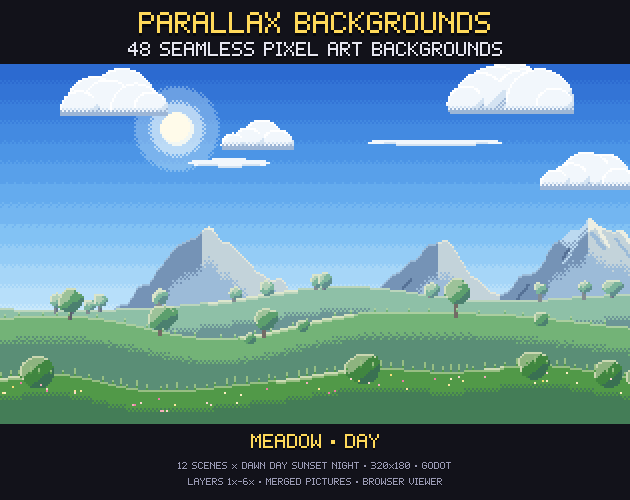
For the air of an outdoor scene, the fog, rain and lightning loops in Weather FX repeat across the screen. For the world behind it all, Parallax Backgrounds has a haunted graveyard at night, and the store pictures of Horror VFX are made on it. A menu to match is in Dark Fantasy UI, and more spooky sets are in our Halloween assets guide.
Gridwright packs can be used in commercial games; you may not resell the files themselves. Packs released from October 28, 2026 ask for a credit: “Art by Gridwright” with a link (each pack’s LICENSE.txt says which applies). More in can I use game assets in a commercial game.