Farming RPGs look simple and are not. The player spends hundreds of hours on one small map, doing the same few actions over and over: tilling, watering, harvesting, feeding animals, chopping wood. Every one of those actions needs art that reads at a glance, in every direction the player can face, and every season changes how the farm looks. This guide walks through planning the art of a farming RPG at 16x16, from the farmer to the crops to the calendar, so the game feels like one world instead of a patchwork.
Start with the farmer, because the farmer is the game
In most RPGs the hero walks and fights. In a farming game the hero works, and the work is the fun. List every verb your game needs before you draw a single tile: hoe, water, chop, mine, harvest, dig, carry, fish, pet the dog, sleep. Each verb is an animation, and each animation needs four directions, because the player turns to face the tile they work on.
- Moves: idle, walk and run, the frames the player sees most.
- Tool work: hoe, watering can, axe, pickaxe, sickle, shovel, saw, each with a wind-up, a hit and a recovery.
- Carrying: picking up and holding a crop or a crate over the head while walking.
- Fishing: cast, wait, a bite, reeling in and showing off the catch.
- Rest and life: sitting, sleeping, petting an animal.
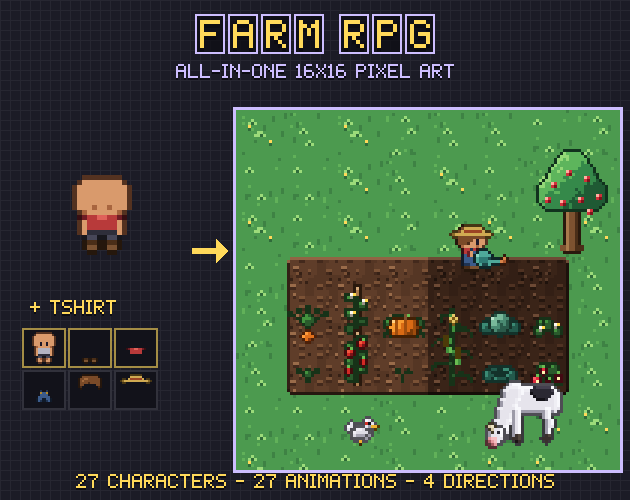
Two choices save you a lot of trouble later. First, keep one fixed order of directions in every sheet (down, left, right, up is common) so code that picks a row never has to guess. Second, keep tools as separate sprites with a hand anchor per frame. Then copper, iron and gold tools are a recolour of one sprite, not a redraw of the whole farmer. Our Gridwright Farm RPG ships its 27 animations this way, with the hand position, the tool angle and the tool's tip for every frame in JSON.
Make the farmer from layers
Players want to look like themselves, and towns need dozens of people. Drawing every villager as a full sprite sheet is a lot of work; drawing them as layers is much less. A body, then shoes, trousers or a skirt, a top, overalls or an apron, hair, a beard, glasses and a hat, each drawn for every pose, stacked in a fixed order. The same layers dress the player, the mayor and the shopkeepers. If you mix packs, make sure they share one rig: our Modern People characters stand on the same 16x16 rig as the farm pack, so a town can have both.
Soil that autotiles, dry and watered
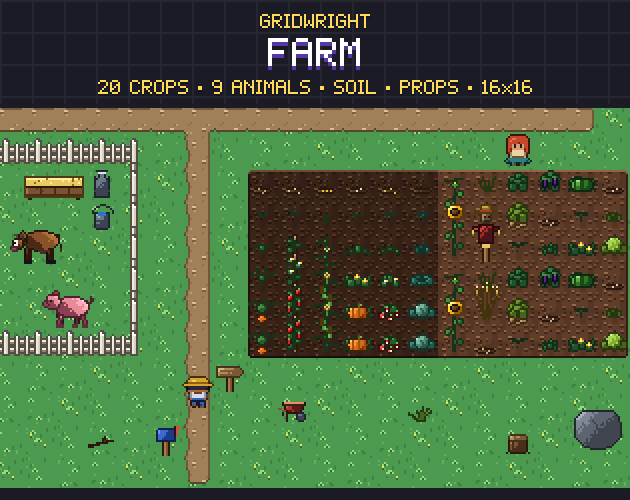
The field is where the player's work shows. Tilled soil should be an autotile: each tile looks at its eight neighbours and picks the piece with the right edges, so a field of any shape gets clean borders. The 47-tile blob set covers every case. The important detail for farming is watering: draw a dry and a watered version of every one of the 47 pieces, and count both as tilled when you work out a tile's neighbours. Then a field can be watered tile by tile without a seam between dry and wet ground. Our earlier guide to choosing and using pixel art tilesets explains how the blob pieces fit together.
Crops that grow, ripen and wither
A crop is a small animation that plays over days instead of frames. Six stages work well: seeds in the soil, a sprout, a young plant, a growing plant (bushes and vines flower here), ripe, and withered. The withered stage is the one most packs skip, and it is the one the game needs most, because forgetting to water or a season ending is the first consequence the player learns. Draw crops on a 16x32 frame standing on the bottom tile, so tall crops like corn and sunflowers can reach into the tile above without breaking the grid.
- Sort crops by season from the start; it shapes the whole game loop.
- Give every crop a produce icon and a seed packet in the same style, so the inventory matches the field.
- Keep the soil under the crop: draw the plant on a transparent frame and let the soil autotile show through.
The original Gridwright Farm tileset has 20 crops with these six stages; the all-in-one pack sorts them into spring, summer and autumn and adds the fruit trees and seasons around them.
Seasons: recolour the world, keep the shapes
Seasons are a palette job. Keep every tile's shape and swap its colours: fresh greens and blossom in spring, deep greens and fruit in summer, olive grass and orange leaves in autumn, snow and bare branches in winter. Trees carry the change best, so draw each fruit tree four times on the same frame. Players notice a season change through the trees long before they read the calendar.
Animals in four directions
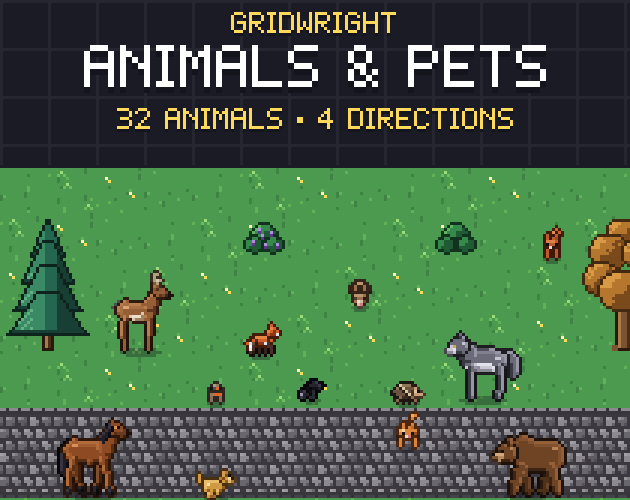
Farm animals wander, so side-view-only animals look odd the moment one walks towards the camera. Draw cows, pigs, sheep, goats, chickens and ducks facing down, left, right and up, with idle, walk and eat loops at least. Pets need a little more personality: a sit and a sleep make a dog feel like part of the family. Our Animals & Pets pack covers cats, dogs and wildlife in four directions, on the same 3D rig as the farm animals of the all-in-one pack.
Fishing needs its own small kit
Fishing is the farming game's second loop. Besides the farmer's cast and reel animations you need the line and a bobber that bobs, a splash for the bite, icons for every fish, and a little gear: rods, bait, a tackle box. Fish & Fishing has 130 fish at 16x16 and 32x32 if your game wants a big collection to fill.
Ship it in a form your engine reads
Art is only useful once it is in the game. Sheets with a fixed layout and a JSON of frame rectangles and frame tags work in every engine. Godot 4 can take SpriteFrames and a TileSet with terrains, so you paint soil with the terrain brush; Tiled reads wang sets for the same job; RPG Maker MV and MZ need their own sheet sizes and the A2 autotile layout. If you are cutting sheets of your own, our free Sprite Sheet Cutter splits a sheet into frames in the browser.
Plan for updates
A farming game grows: a new season, a festival, a farmhouse interior, more townsfolk. Pick art that can grow with it, from a creator that already knows every pose. The all-in-one pack gets new content in regular free updates, so ask for what your farm needs in the comments on its page.