An isometric character takes more planning than a side-view one. It faces more ways, its feet land on a diamond grid, and it passes in front of some things and behind others as it walks. This guide takes the decisions in the order you meet them, from directions to the sheet layout. The Godot details were checked in its 4.7 documentation.
8 directions, 4 directions and mirroring
On a 2:1 isometric grid the cell edges run diagonally across the screen. If characters move from cell to cell, as in most tactics games, every step follows one of the four diagonals, so four facings cover all movement. If they move freely, with a stick or a click anywhere, they also need straight up, down, left and right, which makes eight.
Mirroring saves part of the work. In Godot an AnimatedSprite2D has a flip_h property that flips the texture horizontally, so the left-facing frames can be flips of the right-facing ones. Of eight directions, five have to be drawn and three can be flips. With only the four diagonals, two are drawn and two are flips.
The cost is handedness. A flipped knight holds his sword in the left hand, and anything one-sided, such as a quiver on one shoulder, jumps across the body when he turns. Isometric Characters draws each of its 8 directions on its own, so the sword stays in the right hand and the shield on the left arm. For symmetric or very small characters, mirroring is a fair saving.
The animations a character needs
Start from what the character does in the game, and skip what it never does. Most action and tactics games need this set:
- Idle: a short loop, so a standing character doesn't look frozen.
- Walk and run: loops.
- Attack: one per kind of weapon, since a bow shot and an axe swing move the body differently.
- Hurt: short, so it can interrupt anything.
- Death: plays once and holds its last frame.
- Extras the game asks for: a block, a battle stance, work such as chopping, or town moves such as wave, talk and sit.
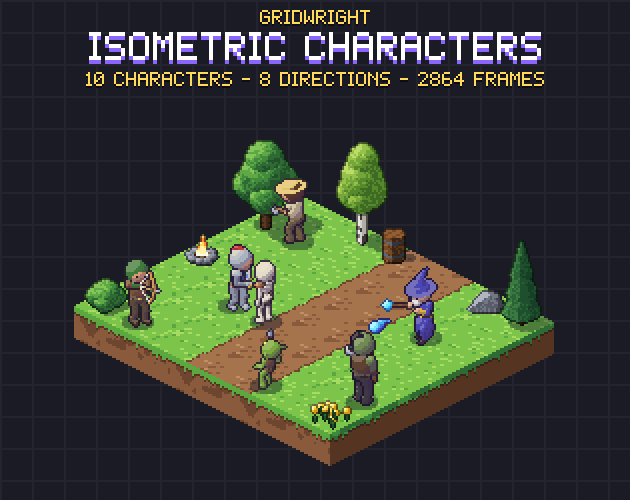
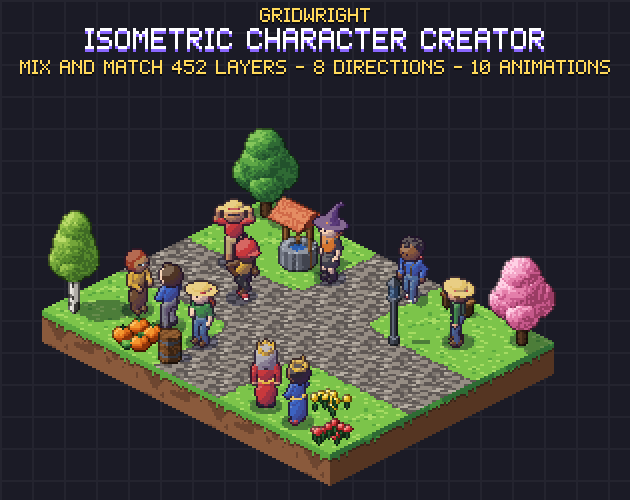
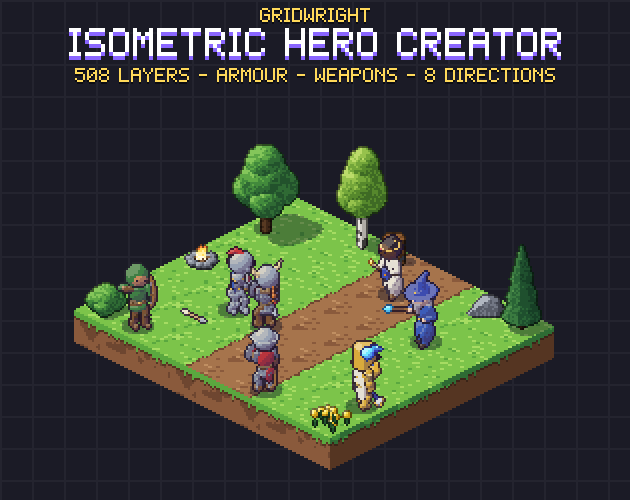
Isometric Characters gives all 10 characters idle, walk, run, hurt and death, the armed ones an attack chosen by weapon, the knight a block and the unarmed villager chopping and mining. The Isometric Hero Creator adds a battle idle called ready and separate slash, thrust, shoot, cast and block animations. The Isometric Character Creator has no combat: its townsfolk wave, talk, cheer, pick things up, sit, type and eat.
Frame counts and timing
Frame counts follow the motion. A walk needs two clear steps, a hurt only a flinch, and an attack a wind-up, the strike and a recovery. In Isometric Characters the frames per direction are:
- Idle 4, walk 8, run 6.
- Attack 6 to 7, block 4.
- Hurt 3, death 7.
Multiply by the directions: a 7-frame death in 8 directions is 56 drawings, and the pack's 10 characters come to 2,864 frames.
In Godot a SpriteFrames resource sets each animation's speed in frames per second, and every frame has a relative duration, 1.0 by default. The docs divide that duration by the frames per second times the playing speed, so a frame set to 2.0 stays on screen twice as long as the others. Use it to hold the strike or the wind-up without drawing a copy.
Some timing comes from the art. Damage should land on the frame where the weapon connects, and an arrow should leave when the string is released, from where the arrow is drawn. Isometric Characters lists the hit frames and the weapon's hit box per direction in its JSON, with the spawn frame and point of each arrow or bolt. The Hero Creator's JSON has hit and spawn frames with the spawn point per direction.
The anchor: feet on the tile
Every frame needs one fixed point, the spot between the feet that touches the ground, in the same place in a cell of the same size. Then the character never jumps when it changes animation. Leave space at the edges, because a raised axe reaches further than a standing pose. In all three of our character packs each frame is a 64x64 cell with the feet at (32, 46), the centre of a ground diamond, and nothing touches the cell's edges.
In Godot an AnimatedSprite2D with centered on draws its texture centred on the node, and its offset property moves the drawing. For feet at (32, 46) in a 64x64 cell, an offset of (0, -14) at 1x puts them on the node's position. TileMapLayer's map_to_local returns the centred position of a cell, so a character placed there stands in the middle of its diamond.
Speed belongs with the anchor. On a 2:1 grid the same distance in the game world covers twice as many screen pixels left or right as up or down, so one screen speed makes the feet slide in some directions. All three packs give the walk and run speed per direction in their JSON.
Depth sorting with Y sort
Whatever stands lower on the screen has to draw on top. Godot's docs say that with y_sort_enabled on, a node and its child canvas items with a higher Y position are drawn in front of those with a lower one. Put characters, props and wall layers under one Node2D with Y sort on. Since each character's position is its feet, a character in front of a tree draws over it, and one behind it is covered.
Keep flat ground on a layer outside the sorted group so it always draws first. Isometric Characters bakes no shadows into its frames and ships a separate shadow sprite, which you can place under each character or leave out. For tall tiles, see our guide to isometric tilemaps in Godot 4.
Layered parts that fit every frame
A character creator stacks separate sheets: a body, then clothes, hair, a helmet and what the hands hold. Every layer needs exactly the body's cell size, feet point, rows and frame order, so one frame number picks the matching frame from every sheet.
Draw order and held items are the hard part. A cape should cover the armour when the character turns away, and a sword and shield cross during an attack. Our creator packs cut each layer against the 3D body it is worn on, so one layer order works in all 8 directions. In the Hero Creator a weapon and its shield are one layer, so each covers the other correctly in every frame. Both packs ship compose.py, which turns a recipe of layers into one sheet per animation. The whole method is in modular pixel art characters.
Sheet layout and the JSON
Two layouts are common, and both work when the data describes them:
- One sheet per animation with a row per direction. It is easy to read and to import one animation at a time. Isometric Characters does this at 1x, 2x and 3x, with every frame also saved as its own PNG.
- One sheet per layer with every animation side by side and a row per direction. There are fewer files, and layers stack sheet on sheet. The Character Creator's layers are 8 rows by 54 columns and the Hero Creator's 8 by 63, with layers.json giving the first column of each animation.
The JSON holds what the picture can't: frames per second and loop for each animation, the feet point, hit and spawn frames and the speeds. In Godot, open the SpriteFrames panel, choose Add frames from a Sprite Sheet, set the grid to match the sheet and select the frames of one row. Name each animation by move and direction, such as walk_se, so your code can build the name from the facing it tracks. Start it with play(), and use animation_finished, which the docs say is emitted when the animation reaches the end, to know when an attack or a death is over.
A checklist before you animate the whole cast
- The directions match the movement: the 4 diagonals for grid movement, 8 when characters move anywhere.
- Nothing one-sided gives a flipped direction away.
- Each animation has the same frame count in every direction.
- Every frame shares one cell size and one feet point, with room at the edges.
- The node's position is the feet, so Y sort compares the right thing.
- Hit frames, spawn points and speeds live in the data.
- One character has walked around a tall object in every direction before you draw the rest.
Part of that check can come before any code. In Gridwright Studio every hero of the Hero Creator is in the Isometric Builder, a map maker in your browser, so you can stand heroes in front of and behind walls and trees, then export the scene to Godot or Tiled.
All three packs can be used in commercial games, with the characters shipped inside your game. Gridwright packs can be used in commercial games; you may not resell the files themselves. Packs released from October 28, 2026 ask for a credit: “Art by Gridwright” with a link (each pack’s LICENSE.txt says which applies). More in can I use game assets in a commercial game.