Ren'Py makes it easy to write a visual novel and just as easy to ship one that looks like every other Ren'Py game. The default GUI is clean but generic, and the moment you drop pixel art into it the edges of the dialogue box, the buttons and the text stop matching. This guide walks through how to build a pixel art GUI for Ren'Py that stays sharp: the screen size, the files Ren'Py looks for, how stretching works, and the font settings that keep letters crisp.
Start from a pixel grid that scales by whole numbers
Pixel art only looks right when every art pixel becomes the same number of screen pixels. So decide on a small base screen first and let Ren'Py's real resolution be a whole multiple of it. A 640x360 grid works well for a visual novel: it is 2x for a 1280x720 project and 3x for a 1920x1080 project, the two sizes the Ren'Py launcher offers most.
Draw every GUI piece on that grid, then export it twice, at 2x and 3x. Positions follow the same rule: if the dialogue text starts 64 art pixels from the left, gui.dialogue_xpos is 128 in a 720p project and 192 in a 1080p one. Mixed scales, such as text drawn at 2x on a box drawn at 3x, are what make a pixel GUI look slightly wrong even when nobody can say why.
- 640x360 base: 2x = 1280x720, 3x = 1920x1080.
- Keep every size and position in art pixels, then multiply.
- Backgrounds may use a bigger pixel size than the GUI, but each layer should use one size of its own.
Know the files Ren'Py's GUI reads
A new Ren'Py project keeps its GUI images in game/gui/ and its numbers in game/gui.rpy. The screens in screens.rpy use those images by name, so a pixel GUI is mostly a matter of replacing images and changing defines, not rewriting screens. The images you need to draw are:
- textbox.png and namebox.png: the dialogue window and the name plate.
- button/choice_idle_background.png and choice_hover_background.png: menu choices.
- button/idle_background.png and hover_background.png: navigation and preference buttons, plus check and radio foregrounds.
- button/slot_idle_background.png and slot_hover_background.png: save and load slots around the thumbnail.
- slider/, bar/ and scrollbar/ images for the preferences and long screens.
- frame.png, notify.png, skip.png, nvl.png and the overlay/ pictures for the main and game menus.
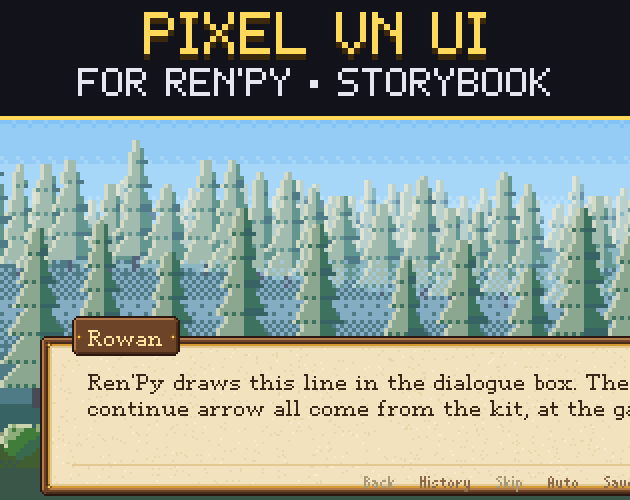
Matching names matters more than anything else: Ren'Py falls back to its own look for any file it cannot find, which is how half-themed games happen. Our Gridwright Pixel VN UI follows exactly these names, so a theme is one folder copied over the old one, with screens.rpy left as it was.
Stretching: Frame and Borders
Most of these images are drawn small and stretched to fit their text, the same 9-slice idea explained in what 9-slice scaling is. In Ren'Py the stretch is a Frame with a Borders object: the left, top, right and bottom numbers say how many pixels of each edge stay fixed. Everything between them is stretched, so the middle rows and columns of a pixel art piece must be flat, with no ornament crossing them.
The useful detail is that Borders takes four more numbers: pad_left, pad_top, pad_right and pad_bottom. They change the padding around the text without moving the stretch lines, and they may be negative. That lets a choice button keep a decorative diamond in its fixed top border while the text still sits 4 art pixels from the edge. In gui.rpy that looks like gui.choice_button_borders = Borders(48, 42, 48, 21, 0, -30, 0, -9) for a 1080p project.
Pixel fonts that stay sharp
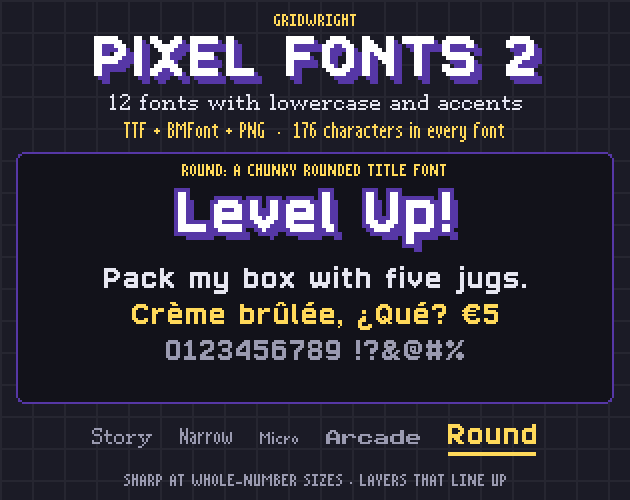
A pixel font has a native size, the pixel height it was drawn for. It is only sharp at that size or a whole multiple of it, so a 13 px font goes in gui.rpy as 26 in a 720p game and 39 in a 1080p game. Then switch off the two things that blur it. In a style statement, set antialias False and hinting "none" on the default style, and every text in the game inherits them. Our post on pixel fonts for games covers native sizes in more depth, and Gridwright Pixel Fonts 2 lists the native size of each of its fonts.
Players will not always run your game at its own size. Setting config.nearest_neighbor = True makes Ren'Py scale images without smoothing when the window is resized, so the pixels stay square instead of turning soft. Leave it off if the game also uses painted, smooth art.
Small touches players notice
- A click-to-continue arrow: give a Character ctc="your_image" and ctc_position="nestled" so the arrow sits right after the last word. Redefining the adv character with those values gives every character the same arrow.
- Name plate colours: screens.rpy lets a Character style its name plate with namebox_ properties, so Character("Mia", namebox_background=Frame(...)) gives Mia her own colour.
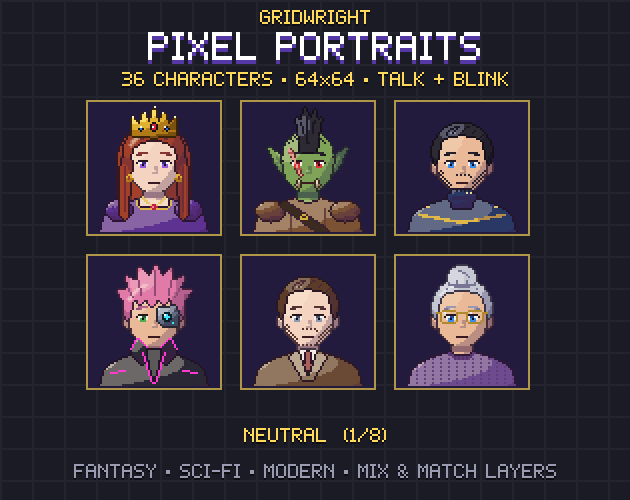
- Side images: the say screen shows SideImage() in the bottom-left corner. Leave room for it in the dialogue box, or draw a second box with a portrait socket and move the text over. A 64x64 pixel portrait such as those in Gridwright Pixel Portraits fits a socket drawn for it exactly.
- The quick menu: it sits at the bottom of the screen by default, so either draw a quiet strip for it inside the dialogue box or lift it with a style yoffset.
Test it in Ren'Py, every screen
A GUI is more than the dialogue box. Before calling it finished, open every screen at both sizes: main menu, game menu, save and load (with real saves, so the thumbnails show), preferences with every slider, history, help, about, the quit confirmation, the skip indicator, notifications and an NVL page. Run Lint from the Ren'Py launcher too; it catches missing images and typos in style statements before players do.
If you would rather start from a tested set, the Gridwright Pixel VN UI covers all of those screens in four themes at 1920x1080 and 1280x720, and every piece is also a PNG with 9-slice data for other engines. Backgrounds for the scenes themselves can come from the merged pictures in Gridwright Parallax Backgrounds.
Gridwright packs can be used in commercial games; you may not resell the files themselves. Packs released from October 28, 2026 ask for a credit: “Art by Gridwright” with a link (each pack’s LICENSE.txt says which applies). The details are in can I use game assets in a commercial game.