Sooner or later every small game needs coins, jumps, lasers and hits, and a sound generator gets you those in a minute with no microphone and no synth. Three free tools come up again and again: Bfxr, ChipTone and jfxr. They share a family tree and most of a workflow, so the choice comes down to small differences: how many kinds of sound each one makes, how you save your work, and what each one says about using the results. Everything below comes from each tool's own page, read in November 2026. We did not run a listening test, so nothing here claims that one of them sounds better.
How this kind of tool works
Bfxr's page says it is based on DrPetter's sfxr, and jfxr's says it was inspired by Bfxr, so the idea is the same. You press a button named after a kind of sound, listen, and press again until something comes close. Then you adjust the synth: the wave, the envelope, the pitch slide, the filters. When you like it, you save it as a WAV. Most of them can also mutate a sound, which nudges every setting a little and is a quick way to get a second coin that doesn't quite match the first.
Bfxr: the most kinds of sound
Bfxr is by increpare, and the current version is a JavaScript rewrite of the old Flash tool. It runs in the browser, and its source page also describes a standalone Windows app and a small JavaScript library you can embed. What sets it apart is that it holds 23 synths. Next to the classic game effects there is Footsteppr, which makes footsteps on snow, grass, dirt, gravel and wood, and Mixr, which mixes two sounds you have copied, each with its own generator, plus a balance control. Others include Jinglr, Pluckr, Birdr and Zappr.
Sounds export as WAV, and a .bfxr file saves your settings so you can reopen a sound later. Shortcuts cover locking parameters, randomising and mutating. Its code is under the MIT licence. Neither the page nor the repository says which terms apply to the sounds you make, so ask the author if your publisher needs that in writing.
ChipTone: the plainest terms
ChipTone is by Tom Vian of SFB Games. It runs in the browser, and there are Windows and macOS downloads. It is free, with a name-your-own-price option on the download. Its strongest point for a commercial game is a single clear line: the sounds are CC0, free to use for any purpose, commercial or otherwise. No other tool here puts it more simply.
The page says little else about features. Its tags are 8-bit and 16-bit, and it says a sampler and a sequencer are still being developed. It doesn't list its export formats. Commenters on the page report that the desktop app can save a file without the .wav ending, and that typing the ending fixes it. Those are user reports and not the author's words, so try one export before you plan around it.
jfxr: labelled controls and a library
jfxr runs in the browser and says it aims to be more powerful and more intuitive than Bfxr. Its controls sit in sections for amplitude, pitch, tone, filters and output, and hovering over any parameter shows what it does, which helps if you have never used a synth. It has presets, mutate, undo and a link button, and it exports WAV.
Gridwright packs can be used in commercial games; you may not resell the files themselves. Packs released from October 28, 2026 ask for a credit: “Art by Gridwright” with a link (each pack’s LICENSE.txt says which applies). The code is under a BSD licence, and the synthesis part is available as a separate library, so a web game could make its sounds while it runs. It has no mixer like Bfxr's. Its page warns that exporting WAV files is broken on Safari, and its readme says it is tested on Chrome and Firefox, so use one of those.
Side by side
- Where it runs: Bfxr in the browser and on Windows; ChipTone in the browser, on Windows and on macOS; jfxr in the browser.
- Terms for your sounds: ChipTone says CC0; jfxr says they are entirely yours; Bfxr's pages don't say.
- Mixing sounds: Bfxr has Mixr; jfxr has no mixer; ChipTone's page doesn't mention one.
- Use as a library: Bfxr and jfxr both offer one; ChipTone's page doesn't mention one.
- Saving your work: Bfxr has .bfxr files; jfxr has Save and Link buttons; ChipTone's page doesn't say.
What our Sound Effect Generator does differently
Our Sound Effect Generator runs in the browser and starts the same way: pick pickup, laser, explosion, power-up, hit, jump, blip or random, then press until you like what you hear. You can change the wave, the envelope, pitch slides, vibrato, arpeggios, filters and bitcrush. A seed gives the same sound back byte for byte, so a sound can be shared as one line of text, and you can lock the settings you like and mutate the rest, with undo and a history of your last 40 sounds. It saves WAV at 8 or 16 bit and from 11 to 48 kHz.
The free edition has those 8 types and every setting, one WAV at a time. Pro adds up to 4 layers, 16 types, 6 styles, 10 variations of a sound as one ZIP, loudness matching and a saved library. Bfxr covers more kinds of sound for free, and footsteps in particular. Where ours helps most is at the end of the job, when a whole game's sounds have to sit at the same level and each one needs a few variations.
How to choose
- You need footsteps, jingles or odd creature sounds: start with Bfxr and its 23 synths.
- A publisher or a store wants the terms in writing: ChipTone's CC0 line or jfxr's FAQ.
- Your web game should make its sounds while it runs: the Bfxr or jfxr library.
- You are new to synths and want each control explained: jfxr.
- You have dozens of sounds to level and vary: the Sound Effect Generator with Pro.
- You would rather not make sounds at all: a finished pack.
A routine that works in any of them
Make each sound as a small set. Three slightly different coins, played in turn, tire the ear far less than one coin played a hundred times. Keep the settings file or the seed next to the WAV, because you will want to change that laser two months from now and a WAV alone can't be edited that way. Name files after what happens in the game, such as coin_pickup_1, and not after the preset that made them. Then play everything together in the game itself, at low volume, on the worst speakers you have, since a sound that seems fine alone can vanish behind the music.
When a generator is not the right tool
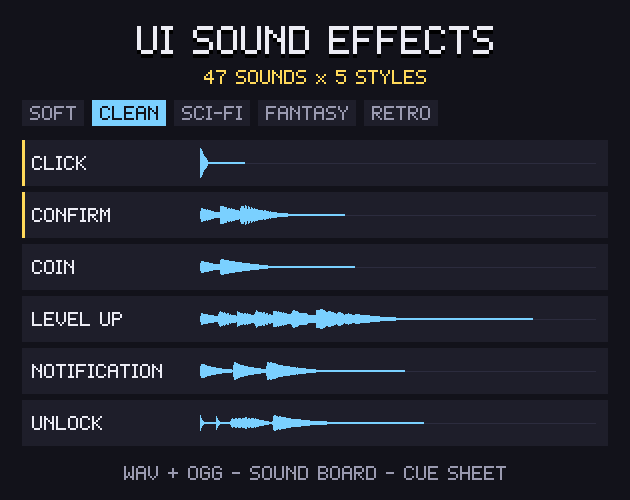
These tools are at their best with short, synthetic sounds. Long ambience, soft interface sounds and anything meant to feel natural take far longer to coax out of them, and that is where a pack saves the most time. Retro Sound Effects has 352 sounds, each in an 8-bit and a 16-bit version, as WAV and OGG. UI Sound Effects has 47 interface sounds in 5 styles with the same file names, so a game can change its whole sound style by swapping one folder. Our checklist of UI sounds lists what a menu needs.
Gridwright packs can be used in commercial games; you may not resell the files themselves. Packs released from October 28, 2026 ask for a credit: “Art by Gridwright” with a link (each pack’s LICENSE.txt says which applies). More in can I use game assets in a commercial game.