A horror game lives or dies by its enemies. The level can be dark and the music can be tense, but the moment a monster steps out of the fog is what the player remembers. In a 2D side-view game that moment has to work in a few dozen pixels, so every choice counts: the shape, the way it moves, how it enters and how it dies. This guide walks through what makes a horror enemy read well at small sizes and what a game needs from each enemy sprite to feel finished.
Start with the silhouette
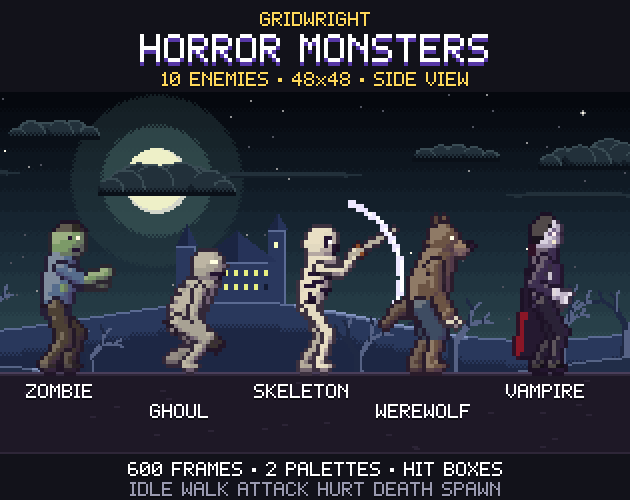
At 48 pixels tall a monster is mostly a shape. Players recognise it by its outline long before they see its face, so each enemy in a set should have a silhouette nobody could mistake for another. Fill the sprite with black and ask whether you can still tell who it is.
- Posture: a zombie leans forward with its arms out, a ghoul crouches low on long limbs, a tall stranger stands straight and thin.
- One big feature: a wide-brimmed hat and a long beak, a cape, a scythe, a floating tail instead of legs.
- Size: mix small and tall. A knee-high doll is scary in a different way from a figure that fills the whole frame.
- Weapons and hands: claws, a rusty sword or a stretching arm tell the player where the danger comes from.
In Gridwright Horror Monsters every one of the ten monsters is built around one of these ideas, which is why they still read when they all stand in a row at 1x.
Movement is the scare
Horror is less about how a monster looks and more about how it moves. A walk cycle is a chance to make each enemy feel wrong in its own way. A shambling zombie drags one foot and sways its head. A ghoul creeps fast and low. A porcelain doll moves in stiff snaps instead of smooth steps. A ghost bobs and never touches the ground.
Keep walk cycles in place, with the feet sliding under a body that stays put, and move the sprite in your engine. That way one animation works at any speed, and you can slow a zombie down without redrawing it.
The six animations every enemy needs
A side-view enemy feels complete when it can do six things. Fewer than that and the player notices the gaps; more is nice but optional.
- Idle: breathing, swaying or hovering, so the monster never looks frozen.
- Walk: the movement described above, as a seamless loop.
- Attack: a wind-up the player can read, the strike, and a short recovery. The wind-up is the warning; make it two or three frames long.
- Hurt: a quick flinch backwards so hits feel like they land.
- Death: a fall that ends on a frame that holds, or a dissolve for ghosts and creatures of mist.
- Spawn: the entrance, which most enemy packs leave out.
Why spawn animations matter in horror
In most games enemies simply pop into existence at the edge of the screen. In a horror game the entrance is the scare. A hand breaking out of a grave, a werewolf dropping from a ledge, a figure slowly forming out of red mist: each of these turns a plain spawn point into a moment.
Plan the entrance with the level. Monsters that climb out of the ground belong in graveyards and fields; monsters that drop in need something above them; monsters that fade in can appear anywhere, which makes them perfect for jump scares in corridors. A spawn animation also gives the player a fair half second to react, which keeps difficulty honest.
Hit boxes and attack timing
Good enemies feel fair. The player should be hurt only when the claw or blade is actually out, not during the wind-up. To get that right you need two pieces of data for every attack: which frames deal damage and where the damage area is.
- Hit frames: usually the one or two frames where the strike is fully extended.
- Hit box: a rectangle around the weapon or hand on those frames, not the whole sprite.
- Hurt box: the area that takes damage, usually the body's opaque box.
- Projectile point: for ranged attacks, the frame and the pixel where the projectile leaves the hand or mouth.
Our monsters ship these numbers in a JSON next to every sprite sheet, so the attack frames, hit box and projectile point can be read straight into your engine. If you work in Godot, the steps in importing pixel art sprite sheets into Godot 4 apply to these sheets as they are.
Ranged horror enemies
Mix in one or two enemies that attack from a distance so the player cannot simply wait for everything to walk into a sword. A plague doctor that throws a flask of poison gas or a banshee whose wail flies as a sound wave forces the player to move. Give each projectile a short looping animation while it flies and a separate impact animation when it lands, and keep both small so they read against a busy background.
A second palette doubles your roster
A recolour is the cheapest way to make a harder version of an enemy. Swap the colours, give it glowing eyes in a new hue and you have an elite for later levels, a night wave or a mini-boss without new art. The trick is to change enough that players notice at a glance: a purple zombie with cyan eyes, a white werewolf with red eyes, a skeleton turned black. Every monster in Horror Monsters has this cursed palette for all of its frames.
Make them belong to one world
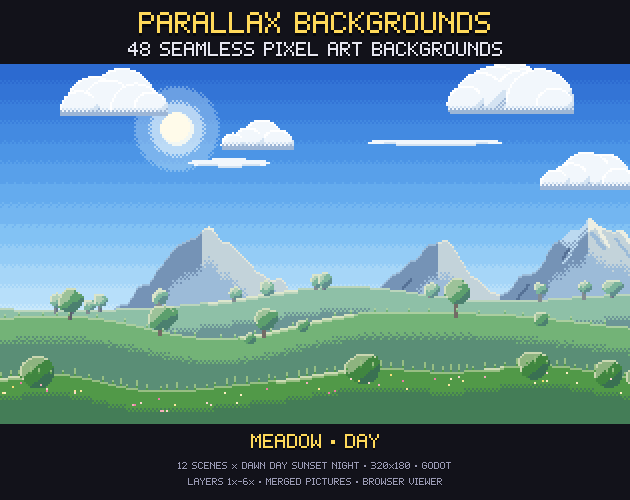
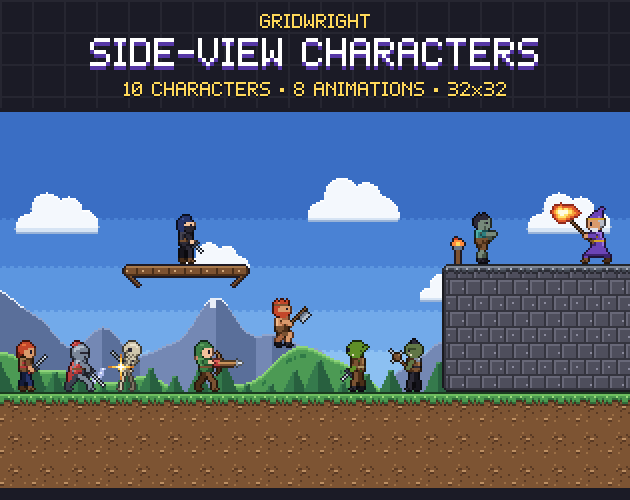
Enemies from different artists rarely sit well together. Keep one cell size, one light direction, one outline rule and colours that share shadows. Then put them in front of the backgrounds you plan to use: a monster that looks great on grey can vanish against a night sky. The screenshots of Horror Monsters use the haunted night scene from Parallax Backgrounds and the knight from Side-View Characters to check exactly that.
If you need a bigger threat for the end of a level, the side-view Pixel Bosses use the same lighting and outline style at 96x96, and Combat VFX adds slashes and hit sparks for the player's side of the fight. For a whole Halloween project, our Halloween game assets guide lists what else a spooky game usually needs.
A quick checklist
- Each enemy has a silhouette you can recognise in solid black.
- Each one moves in its own way, with walk cycles that loop in place.
- Idle, walk, attack, hurt, death and spawn are all there.
- Attacks have a readable wind-up and data for hit frames and hit boxes.
- At least one enemy attacks from range.
- A second palette gives you elites without new art.
- Everything shares one cell size, light direction and outline.
Get those right and even a small set of enemies will carry a horror game a long way. Gridwright packs can be used in commercial games; you may not resell the files themselves. Packs released from October 28, 2026 ask for a credit: “Art by Gridwright” with a link (each pack’s LICENSE.txt says which applies). Details are in can I use game assets in a commercial game.