An idle game is mostly one screen that the player keeps open for a long time. There is no level to explore and no camera to move: the numbers, the buttons and the little moments of feedback are the game. That makes the user interface the most important piece of art you will make for an idle, incremental, clicker or tycoon game.
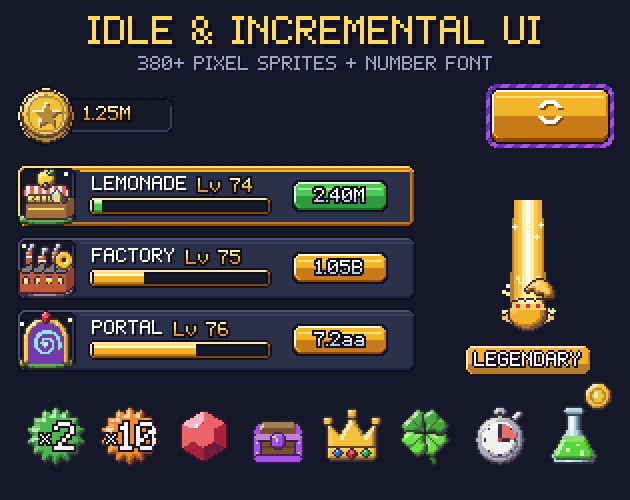
This guide walks through the parts an idle screen needs, how to lay them out on a pixel grid, and how to keep numbers readable when they climb into the trillions. The examples use sprites from Gridwright Idle & Incremental UI, but the ideas work with any art.
One loop, one screen
Most idle games share the same loop. The player earns a currency, spends it on generators that earn more of it, buys upgrades and multipliers that speed everything up, and sooner or later resets the run for a permanent bonus. The screen has to answer four questions at a glance: what do I have, what can I buy, how fast am I earning, and what should I do next.
- A currency bar at the top: what you have.
- A list of generators with buy buttons: what you can buy.
- Income per second on each generator and a total: how fast you earn.
- Highlights on anything you can afford, plus boosts, quests and the prestige button: what to do next.
- In a clicker, a big tap area with feedback on every tap.
Give the generator list the largest part of the screen. It is where the player spends most of their attention and most of their clicks.
The currency bar
Put the main currencies in a row of pills at the top: an icon in a round socket and the number beside it. Two or three visible currencies are easier to read than six; the rest can live in a menu. Use one icon per currency everywhere it appears, so the coin in the bar is the same coin on every price tag.
Make the pill stretch rather than drawing a new one for each width. In our pack the currency pill is 80x32 with a socket for a 32x32 icon and a 3-slice number field, so it grows to fit 1.25M or 3.7aa without changing its ends. If 9-slice and 3-slice sprites are new to you, this guide explains how they stretch.
Generator rows that read at a glance
Each generator gets one row: its icon, its name and level, a progress bar for its production cycle, its income per second and a buy button with the cost. Keep every row the same height and put each piece in the same place on every row, so the eye can scan down a column of costs or a column of incomes.
- Normal: the generator is owned and running.
- Ready: the player can afford the next level. Brighten the row frame or the buy button so it stands out.
- Locked: the generator is not available yet. Grey it out, hide the name and show what unlocks it.
Players like to see a generator grow. A simple way is to swap its icon at level milestones: a small wooden stand at the start, a bigger shop later, a deluxe version with gold trim near the end. Our pack draws 12 generators, from a lemonade stand to a portal, in 3 tiers each, and the JSON next to the sheet records the generator and tier of every icon, so the swap is one lookup in code.
Buy x1, x10, x100 and MAX
Once a generator reaches level 50, buying one level at a time turns into a chore. A buy-amount selector fixes it: four small toggles for x1, x10, x100 and MAX, with one of them switched on. The cost on every buy button then shows the price of that many levels. Draw the on and off states clearly different, because the player will glance at the selector before every big purchase.
Big numbers: suffixes, letters and scientific
Incremental games run out of digits fast. Decide early how numbers will be written, because it changes how wide your number fields need to be.
- Suffixes: 1.25K, 1.25M, 1.25B, 1.25T and so on. Easy to read for the first few steps.
- Letters after the named suffixes: 1.25aa, 1.25ab and onwards. Short, but players need to learn the order.
- Scientific: 1.25e15. Exact and compact, and many players switch to it late in a run.
- Keep about three significant digits (1.25M, 12.5M, 125M) so a number field stays the same width as values grow.
Many games offer both a suffix format and scientific notation in their settings. Whatever you choose, draw the numbers in a font with an outline so they stay readable over any panel or background. Our pack includes the Idle Numbers bitmap font in white and gold, as BMFont files, with digits, K, M, B and T, lowercase letters for the aa notation and e for scientific. For more on fonts in pixel art games, see pixel fonts for games.
Boosts, timers and offline earnings
Boosts give the player short goals: double income for five minutes, faster cycles, more luck. Show active boosts as icons in slots with a small timer pill underneath, so the player always knows how long a boost has left. A boost icon set usually covers multipliers (x2, x3, x5, x10), speed, luck, critical hits, discounts, auto-clickers and offline earnings.
Offline earnings are a good reason for a pop-up: when the player comes back, a 9-slice panel shows how long they were away and what they earned, with one button to collect. Keep notification dots for things that are waiting, like a finished quest or free mail, and remove them as soon as the player looks.
Rarity, eggs and chests
Many idle games add a collecting layer: pets that hatch from eggs, items from chests, heroes from card packs. These need a rarity system that is easy to read. Pick one colour per tier and use it on every rarity piece (the egg, the chest, the item slot, the card frame and the label), and give higher tiers more ornament than lower ones, so the difference still shows to colour-blind players.
The reveal is the moment players remember. A short sequence works well: the egg wobbles, cracks, bursts, and a beam of light in the rarity colour appears. Our pack has 7 rarity tiers, each with a 6-frame egg hatch, a 4-frame chest opening, a slot, a 48x64 card frame, a labelled plate and a 6-frame reveal beam.
Prestige: make the reset feel like a reward
Prestige asks the player to throw away hours of progress, so the button has to promise something. Make it bigger than the other buttons, give it a slow glow when a prestige is worth doing, and show exactly what the player will gain before they press it. A separate prestige currency with its own icon helps the bonus feel real.
Feedback on every tap
Small animations make numbers feel earned. Play a ripple where the player taps, throw a few coins from the tap area, float the amount gained above it, spin a coin next to the counter and flash a level-up burst when a generator crosses a milestone. Keep these short (half a second or less) so they never get in the way of the next tap.
Keep everything on one grid
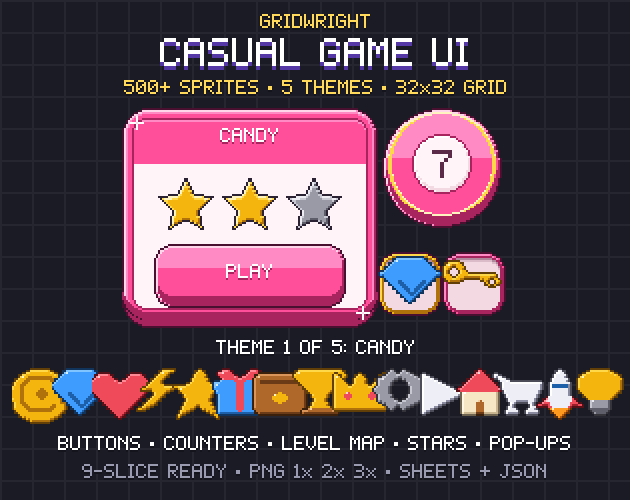
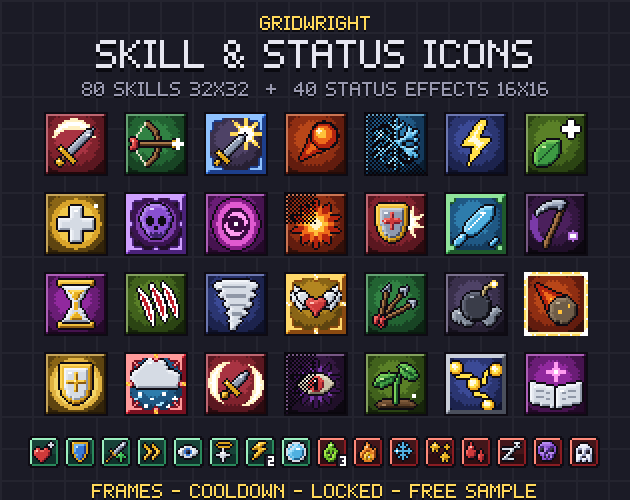
Pixel art UI looks clean when every piece shares a grid. Our idle kit uses a 16x16 grid for panels, buttons and bars, and 32x32 icons that stay 1 px inside their cell so they never touch in a list. Scale by whole numbers with nearest-neighbour filtering, and the pixels stay sharp on every screen. For a rounder, mobile style, Casual Game UI has chunky buttons and reward cards, and Skill & Status Icons adds buff and debuff icons for upgrade trees. More on drawing small icons: pixel art icons for games.
Gridwright packs can be used in commercial games; you may not resell the files themselves. Packs released from October 28, 2026 ask for a credit: “Art by Gridwright” with a link (each pack’s LICENSE.txt says which applies). The details are in can I use game assets in a commercial game.