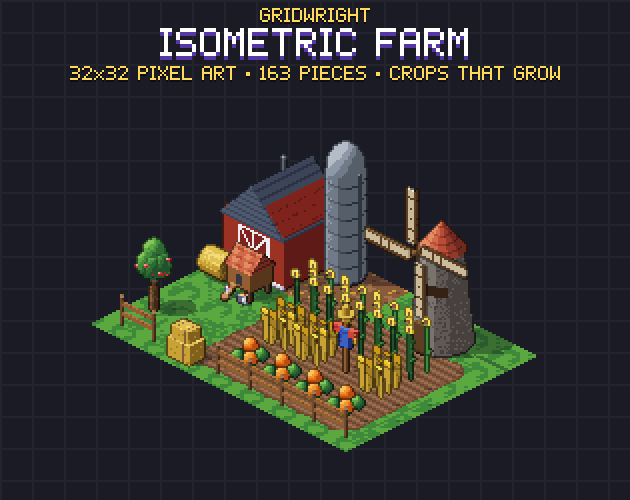
Farming games live on one loop: till the ground, plant, water, wait, harvest. In an isometric view that loop is all on screen at once, so the art has to show every step clearly from a fixed camera: which tiles are tilled, which are watered, what is planted and how far it has grown. This guide covers how to set up that art on a 32x16 isometric grid, from the soil to the crops to the buildings around them.
Tilled soil: use corner autotiles
Players dig fields in whatever shape they like, so the soil has to join in any shape too. The cleanest way on an isometric grid is a corner autotile. Instead of asking which neighbouring cells are soil, you mark the corners (the vertices of the grid) that the field covers. Each cell then looks at its four corners:
- Back corner = 1, right corner = 2, front corner = 4, left corner = 8.
- Add up the corners that are soil: 15 is a full soil tile, 0 is no soil.
- The 15 pieces from 1 to 15 cover every possible edge, so any field shape rounds off by itself.
Corner sets are smaller than the 47-tile edge sets used in many top-down games, and they never leave a gap at a diagonal. They also let you draw soil as an overlay on top of grass or earth, so the same field works on any ground.
Dry and watered soil
Watering is the one action a farming game asks for every day, so the player must see it at a glance. Give watered soil its own set: darker, with a glint of water in the furrows, on exactly the same corner rule. Swapping the dry piece for the wet piece with the same number keeps every edge in place. In Gridwright Isometric Farm both sets have the same 15 pieces, so a script can switch a whole field from dry to wet each morning.
Crops in growth stages
Four stages are enough for most farming games: a seedling, a young plant, a growing plant and a ripe one. Each stage should change something you can see from across the screen, not just a few pixels:
- Height: wheat, corn and sunflowers shoot up, and tomatoes climb their stakes.
- Shape: cabbages and potatoes fill out, pumpkins spread their leaves before the fruit shows.
- Colour: the ripe stage is the one with colour, golden wheat, orange pumpkins, red tomatoes and strawberries, purple grapes.
- Flowers: potatoes and strawberries flower at stage 3, a cue that harvest is close.
Store the crop and its stage in your game data, and swap the sprite when the stage changes. Name the files after both, for example crop_pumpkin_stage3, so the code can build the name from the data. A crop sprite covers one cell and stands on a soil tile, so it is drawn after the soil and before anything in front of it.
Draw order on an isometric farm
Isometric scenes go wrong when things are drawn in the wrong order. For a farm the rule is short:
- Ground first: grass, earth or blocks.
- Soil overlays on top of the ground.
- Shadow sprites, if you use them, on the ground.
- Then crops, fences, props and buildings back to front by col + row; a building that covers several cells is drawn before the cells just in front of it.
The placement formula behind this (x = 16 (col - row), y = 8 (col + row) from the map's origin) is the same for every Gridwright isometric pack. Our isometric tilemap guide for Godot 4 shows how to set it up in an engine.
Fences that join
Fences are the other thing players build in long runs. They use a different rule from soil: a fence piece looks at its four neighbouring cells, not at corners. Add 1 for a fence towards the back right, 2 towards the front right, 4 towards the front left and 8 towards the back left, and pick the piece with that number; 0 is a single post. A gate is just a fence piece that opens, so count it as a fence when you work out its neighbours.
Buildings and props that tell the story
A farm reads as a farm because of a few big shapes: a barn with its doors facing the yard, a silo, a windmill with turning sails, a greenhouse. Draw them in all four rotations so a player can turn the barn to face their fields. Around them, the small props tell the player what happens where: hay bales and a trough by the barn, a well and crates in the yard, a scarecrow in the field, a market stall and a cart for selling the harvest.
Animals and people
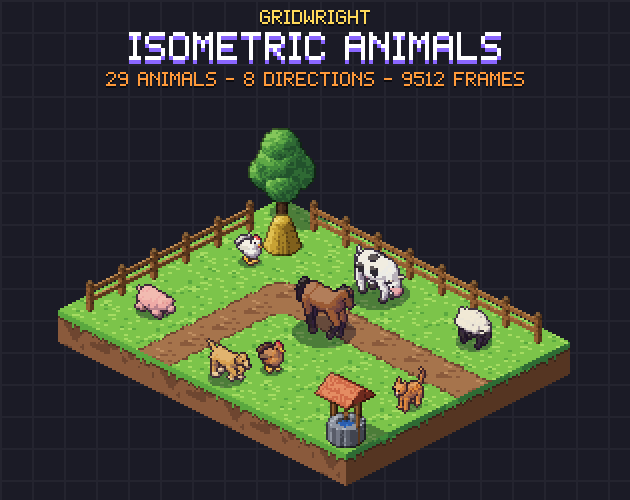
A farm without animals looks empty. Keep animals on the same grid and scale as the farm, or a cow will be the size of the barn. Isometric Animals has cows, pigs, sheep, chickens and horses in 8 directions on the same grid, and the Isometric Character Creator makes the farmers. For a top-down farming game instead, our 16x16 Farm has crops and animals in that view.
Lay it out before you code it
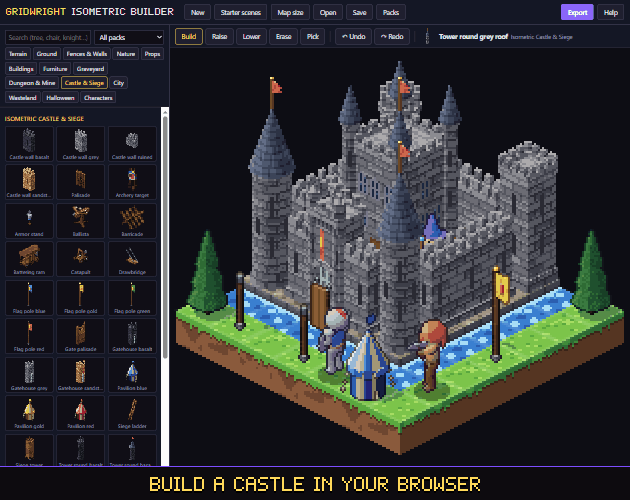
Field sizes, paths between them and where the barn goes are easier to judge on screen than on paper. The Gridwright Isometric Builder runs in a browser with all our isometric packs: paint a field, fence it, place the barn, then export the map as PNG, GIF, a Tiled map or a Godot scene.
Gridwright assets can be used in commercial games; newer packs like Isometric Farm ask for a credit with a link, and reselling the files is not allowed. See can I use game assets in a commercial game for the details.