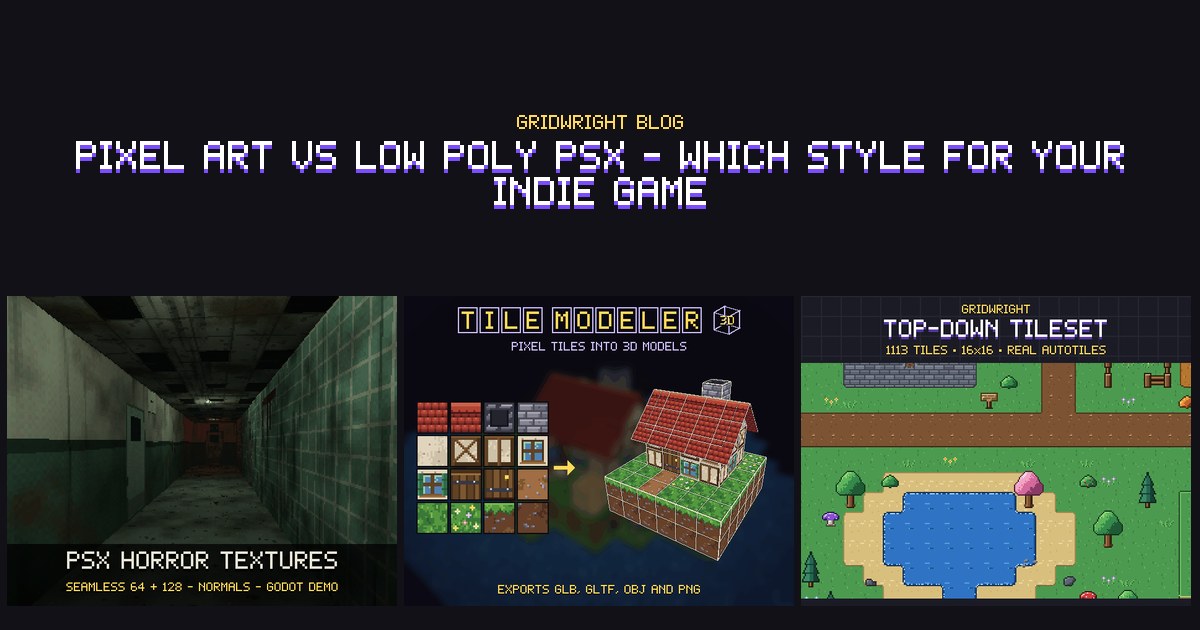
If your indie game is going for a retro look, the choice often comes down to 2D pixel art or low poly 3D in the style of the first PlayStation, usually called PSX. Both are limited looks, which helps a small team finish and stay consistent, but they put the work in different places. This post compares them on time, skill and how they read on screen, says when each fits, and shows how to mix them.
What each style is
Pixel art is 2D. Every sprite and tile is an image drawn pixel by pixel on a small grid, often 16x16 or 32x32, and shown with nearest filtering so each pixel stays a sharp square. The camera looks from one fixed angle: from the side, from above or isometric. Whatever the player sees from that angle has to be drawn, frame by frame.
Low poly PSX is 3D. Models with few polygons are covered in small textures, most often 64x64 or 128x128, and the game copies the limits of 90s consoles: no smoothing between texels, few colours with a dither, a low render resolution, vertices that snap to a coarse grid and textures that bend on large faces. The camera can go anywhere, and a model built once is seen from every side.
What each costs in time and skill
Follow a few everyday jobs through both styles and you see where the work goes:
- A new enemy. Pixel art: draw every frame of every animation in every direction the camera shows. PSX: model, unwrap, texture and rig it, then animate each move once.
- A new walking direction. Pixel art: new frames, unless you mirror one facing. PSX: nothing, because the same animation plays from any angle.
- A new room. Pixel art: paint tiles on a 2D map, and autotiles draw the edges. PSX: build floors, walls and ceilings in 3D and texture them.
- A new camera angle. Pixel art: new art. PSX: move the camera.
- Code. Pixel art: 2D movement and collision. PSX: 3D movement, collision with walls and slopes, and a camera that must not clip through walls.
Pixel art asks for drawing, colour and hand animation, and its pipeline is short: a PNG goes into the engine. PSX asks for a 3D package too, and it keeps the pixel work, because its textures are small pixel images drawn to tile without seams. A solo developer who draws well and has never rigged a model gets further, sooner, with pixel art. One who is at home in a 3D tool may find PSX faster, especially with a large cast seen from many sides.
How each reads on screen
In pixel art the player sees exactly what you drew, at the size you drew it. Silhouettes and colours are under your control in every frame, so the style stays readable when many things move at once, and it stays crisp on any screen when scaled by whole numbers. Godot's page on multiple resolutions recommends the viewport stretch mode and the integer stretch scale mode for pixel art games, which prevents uneven pixel scaling.
In PSX the player sees what the camera sees, so how a thing reads depends on distance, light and angle. A 64 px texture that is clear on a nearby wall turns to noise at the far end of a corridor, and games in this style hide that with fog and darkness. That is one reason the look suits horror. In return PSX gives depth and scale that 2D struggles with: looking up at something tall, turning a corner into the dark, a first-person view.
When pixel art fits
- Platformers, top-down RPGs, farming games, roguelikes and tactics games, where the camera stays at one angle and the player reads a lot at once.
- Games where hitboxes must be exact, since the sprite and its collision share one flat plane.
- A team that draws better than it models.
- Big maps built quickly. With autotiles you paint terrain with one brush, and the edges and corners pick themselves.
Our Top-Down Tileset is an example of that last point: 1,113 tiles and props on a strict 16x16 grid, with 47-tile autotile sets for grass, autumn, dirt, sand, snow and cobble, plus water and lava in 4 animation frames. The neighbour bitmask is in every file name and in tiles.json, so the sets can be wired to any engine. For the grid itself, see how to choose a pixel art tile size.
When low poly PSX fits
- First-person and third-person games: horror, exploration, walking games and dungeon crawlers.
- A cast seen from every side, where drawing 8 directions for every animation would take longer than rigging each character once.
- Games that live on atmosphere: fog, darkness and a light that flickers.
- A team at home in a 3D tool.
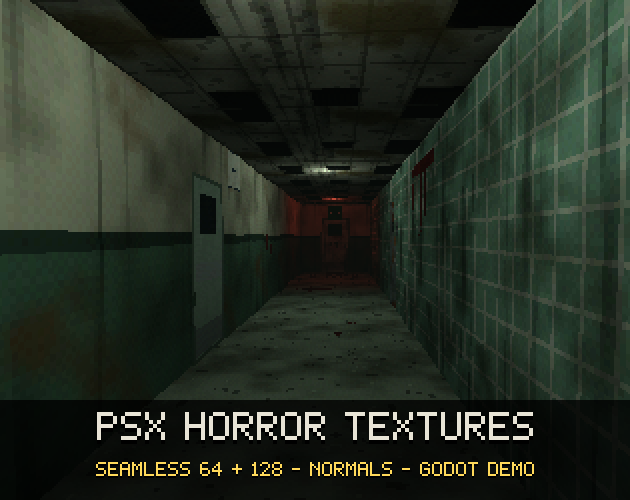
In this style the textures carry most of the look. PSX Horror Textures has 154 textures, each drawn at 64x64 and again at 128x128, in 15-bit colour with a 4x4 ordered dither. 91 of them are seamless walls, floors and ceilings, 29 of those come clean and dirty, and 17 decals with cut-out alpha break up the repeats. Its Godot demo project has a PSX shader you can reuse, with nearest texels, vertex snapping and an optional affine warp. PSX style textures in Godot 4 walks through those settings.
Mixing the two styles
Both styles share one rule underneath: one visible pixel size, no smoothing, few colours. So they mix well:
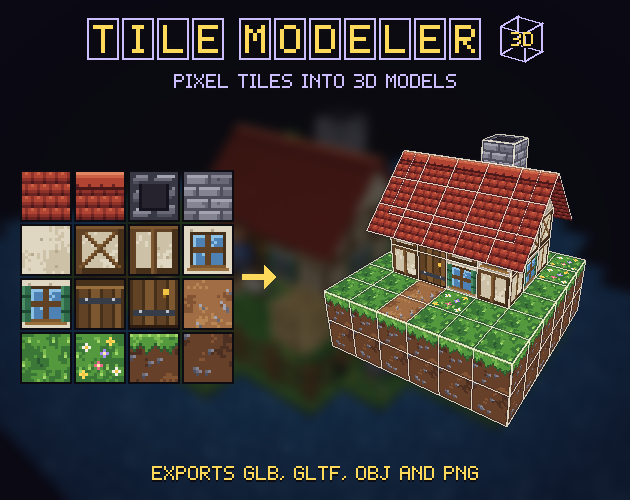
- 3D levels built from 2D tiles. Every face is one tile, so a house is a box of wall tiles with a sloped roof. The Tile Modeler works this way in the browser: draw tiles on any plane, stack blocks, drag corners into slopes and roofs, and export GLB, glTF or OBJ with nearest-pixel sampling. The Top-Down Tileset works as 3D tiles too, and the PSX pack's atlases of its seamless textures (64, 32 and 16 px per cell, with JSON) load straight into it.
- 2D sprites in a 3D world: a pixel art tree or character on a quad that turns to the camera. In Godot that is a StandardMaterial3D's Billboard Mode, and Y-Billboard keeps the sprite upright as it turns.
- A pixel art interface over a PSX world.
The one thing to watch is texel density. A 16 px tile on a 1 metre face gives 16 pixels a metre, while a 64 px texture repeated every 2 metres gives 64 / 2 = 32, so the first one's pixels look twice as big. Pick one density for the whole scene and size every face to it. Pixel art 3D models from tiles covers the workflow.
Godot 4 settings for each style
For 2D pixel art:
- Use a TileMapLayer node with a TileSet, and set the tile size before you create the atlas, as Godot's TileSet page says. Autotiles use a terrain set in the Match Corners and Sides mode, with peering bits on each tile.
- Set the texture filter to Nearest. It is a CanvasItem property, and Rendering > Textures > Canvas Textures > Default Texture Filter in the project settings sets it for the whole game.
- Import with Lossless compression, which Godot's page on importing images recommends for pixel art.
For low poly PSX:
- Import models as glTF 2.0 (.glb or .gltf), the format Godot recommends. OBJ imports as a plain mesh by default, with no skeletons or animations.
- On each StandardMaterial3D, set Sampling > Filter to Nearest, and use the Alpha Scissor transparency mode for cut-out leaves, fences and decals.
- Textures Godot detects in 3D get VRAM compression, and its import page says pixel art textures should have it disabled, so set them to Lossless.
- The viewport stretch mode renders at the base resolution and stretches it to the window, which gives the low-resolution look. The canvas_items mode leaves 3D unaffected.
Try both before you commit
Before you decide, build one small scene in each style in the engine you will ship with: your main character, one enemy and one room. Time each, look at both on the kind of screen your players use, then count what the whole game would need: every enemy, animation, direction and area. The style you can finish is the one to pick.
The Tile Modeler's free edition saves and exports models of up to 200 tiles, enough for a test room. Gridwright Studio gives you 3 days for $1, then Pro at $20 a month or $192 a year, so you can drop the packs above into both mock-ups.
Gridwright packs can be used in commercial games; you may not resell the files themselves. PSX Horror Textures and the Top-Down Tileset appreciate credit but don't require it. What you make with the Tile Modeler is yours, commercial games included; the tool and its starter tileset may not be resold or shared as files. Some newer packs ask for “Art by Gridwright” with a link, and each pack’s LICENSE.txt says which applies. More in can I use game assets in a commercial game.