A survival horror game is scary because the player is short of something: ammo, light, health, safe places. The user interface is where that shortage becomes visible. A full-screen inventory with eight free slots, a flashlight battery with one bar left and a typewriter that needs an ink ribbon all say the same thing: be careful. This guide walks through the screens a survival horror game needs and how to build each one so it adds tension instead of noise.
Start with what the player must never miss
Horror games hide a lot on purpose, so the few things you show must read in a fraction of a second. Pick them before you draw anything. For most survival horror games that list is short:
- Health, shown as a state (fine, caution, danger) more than as a number.
- The light source and how much charge it has left.
- Ammo for the weapon in hand.
- A prompt when something can be used, examined or picked up.
- Fear or sanity, if your game has it as a mechanic.
Everything else can wait for the inventory screen. A clean play screen also makes the dark corners of your level do their work: the less the HUD covers, the more the player stares at the hallway.
Health as a monitor, not a bar
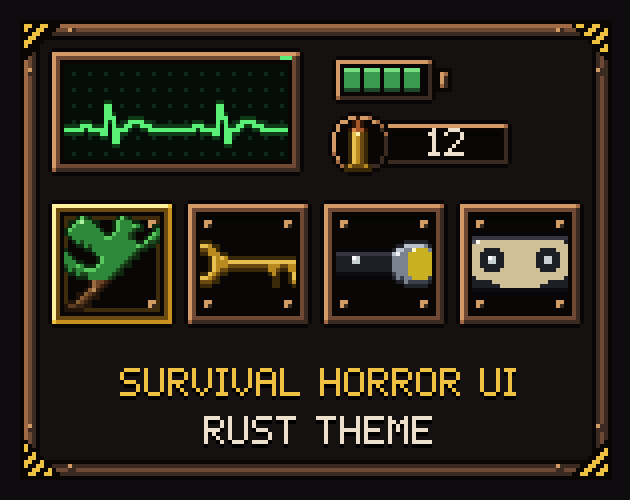
Classic survival horror shows health as a heart monitor: a green, yellow or red trace that the player checks in the inventory rather than a bar that drains on screen. It works because it turns a number into a feeling. The player does not know exactly how many hits they can take, only that the line has turned red and is beating fast.
If you build one, give each state its own rhythm as well as its own colour, so it still reads for players who do not see red and green well: a slow regular beat for fine, a faster one for caution and a short, uneven one for danger. A flatline frame makes a strong game over screen on its own.
Meters for sanity, fear and light
Sanity and fear meters work best when they react. A bar that flickers or jitters when it is low tells the player something is wrong before the game says so. Keep the frame the same for all meters and let the fill colour carry the meaning, so the player learns the layout once. Bars are easiest to build as 9-slice frames with a fill drawn inside the frame's content area; if that is new to you, read what 9-slice scaling is.
The flashlight battery deserves its own small icon near a screen corner. Four or five steps are enough, plus a blinking empty state. Watching the last bar go is one of the cheapest scares you can design.
The inventory: small, visible and a little unfair
A survival horror inventory is part of the difficulty. Few slots force choices; showing empty slots as dimmed boxes makes the limit visible. Three things make it feel right:
- Slot states that say what is happening: normal, hovered, selected, equipped (what is in hand) and locked slots the player can unlock later.
- Combining: two slots, a plus sign and an arrow to the result. Flashlight and battery, revolver and bullets, herbs and a bandage. Keep the recipes in data, not in code, so you can add more without touching the menu.
- Inspection: a large frame where the selected item is shown bigger, with its name and a short examine text. This is where you hide clues: a code scratched on a key, a name on the back of a photo.
Write the examine texts early. They are part of the story, and a short line for every item ('A small steel key, the kind that opens a padlock or a drawer') sets the tone better than any cutscene.
Files, notes and documents
Most horror stories are told through things the player finds: a torn diary page, a letter with a wax seal, a form on a clipboard, a photo with something in the corner. Give each kind of document its own look so players remember where they found it. Draw the paper as a sprite and write the text over it in your game's font; that way you can translate the game without redrawing a single page.
Save rooms and the typewriter
Saving only in safe rooms is a design choice, and the screen should make that room feel safe: warmer colours, steady light, a simple list of save slots with the place and play time. Some games make each save cost an item such as an ink ribbon. If you do, show the count on the save screen itself, so the player decides before pressing the button.
Maps that tell the player what is left
A survival horror map is a to-do list. Colour rooms by state (not visited, visited, still holding items or danger), mark locked and open doors, and show stairs and save rooms. Build the map from small square cells that know which sides join a neighbour of the same room; then rooms of any shape draw themselves from a grid of letters, and you never draw a map by hand again.
Found footage: the camcorder HUD
Found-footage horror replaces the HUD with a camera: a blinking REC dot, a battery, viewfinder corners, a timestamp and a zoom bar, plus scanlines and a tracking glitch that rolls through the picture. It is a HUD that is also part of the fiction, so the player never feels pulled out of the world.
Game over without words that belong to someone else
Your game over screen is the one players see most. Make it yours: your own wording, your own drip or glitch, and a clear choice between continuing and quitting. Avoid phrases that are famous from one specific game; a plain GAME OVER and CONTINUE? are free for everyone.
A ready-made kit
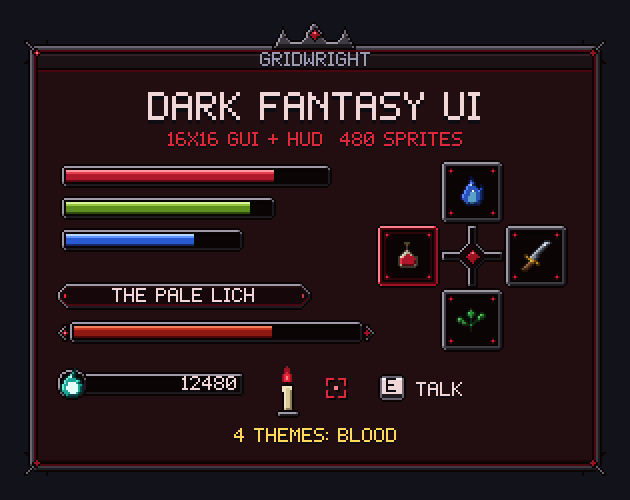
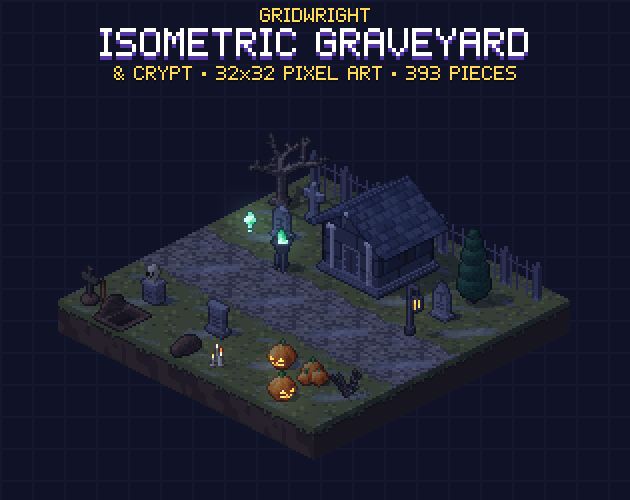
Our Gridwright Survival Horror UI has these screens as pixel art on a 16x16 grid in four themes (Rust, Occult, Clinic and VHS): inventory and combine slots, an inspection frame, an ECG health monitor in three states, sanity, fear, stamina and battery meters, papers, a typewriter save screen, a map kit, a camcorder HUD and a GAME OVER title, plus 60 survival items at 16x16 and 32x32 with names, examine texts and combine recipes in a JSON file. For a gothic souls-like look instead, see Gridwright Dark Fantasy UI; for a haunted level to put behind it, Isometric Graveyard & Crypt. More ideas for the season are in Halloween pixel art game assets, and icon basics in pixel art icons for games.
Gridwright packs can be used in commercial games; you may not resell the files themselves. Packs released from October 28, 2026 ask for a credit: “Art by Gridwright” with a link (each pack’s LICENSE.txt says which applies). The details are in can I use game assets in a commercial game.