An isometric city with empty streets looks like a model, not a place. A few people waiting at a crossing, walking past shops or talking on the phone make the same map feel alive, and in a management or life game they are often how the player reads what is going on. This guide covers the decisions that make pedestrians look right on a 2:1 isometric grid: their size, their directions, their walk cycle, where to put the anchor, how to sort them with buildings, and how to keep them cheap.
Pick a size that fits the buildings
The most common mistake is making people too big. Hero characters in an isometric RPG are often 30 to 40 px tall so their armour and weapons read, but next to a city storey of 20 px they look like giants climbing out of the houses. Pedestrians in a city game are background life: they should be a little taller than one storey, enough to show a face, hair and clothes colour, and no more.
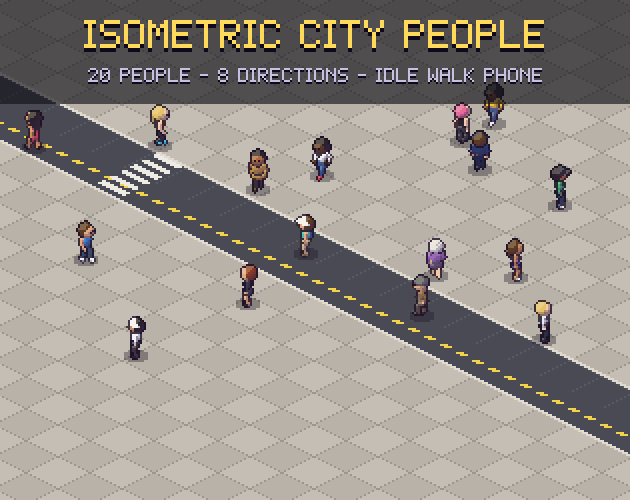
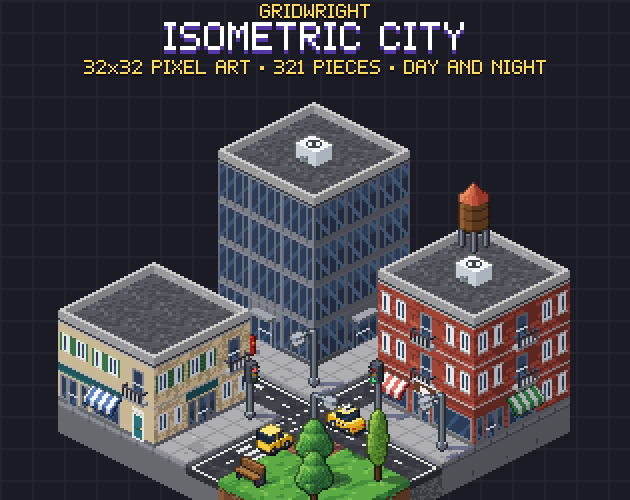
Our Isometric City People are 22 to 23 px tall on 32x32 cells, made for the 32x16 ground diamond and 20 px storeys of Isometric City. At that size the outline, the hair and one or two clothing details (a cap, a backpack, a hi-vis vest) are what tell people apart, so give every character one strong colour and one shape that nobody else has.
Why 8 directions
On an isometric grid, the four directions along the tile edges are diagonal on screen, and the four along the screen axes (up, down, left, right) cut across the tiles. A pedestrian who walks along a road uses the first set; one who cuts across a plaza or follows a path-finder uses all eight. With only four, people slide sideways whenever they move across the grid, which is easy to spot in a crowd.
- s faces the viewer and walks straight down the screen (one column and one row further).
- e walks right across the screen, w left and n straight up, away from the viewer.
- sw, nw, ne and se walk along the tile edges (one column or one row at a time), the directions roads use most.
- Draw all eight, never mirror: a bag on the left shoulder must stay on the left shoulder.
Mirroring west from east halves the work, but it moves bags, badges and parted hair to the wrong side and flips the light. If your sprites are lit from the top left, a mirrored frame is lit from the top right and stands out next to every building.
The walk cycle and planted feet
Eight frames is a good walk cycle at this size: two steps, four frames each, with the body a pixel higher when the legs pass each other. More frames add little at 22 px; fewer make the walk look like a shuffle.
What matters more than the frame count is the speed. If a person moves too fast for their legs, the feet skate; too slow and they moonwalk. Work out the ground speed from the stride: in our pack each Sheets JSON gives a walk speed in pixels per frame for every direction, so at 10 fps the feet stay planted. On the 2:1 grid the screen speed differs by direction, because a step away from the viewer covers half the vertical pixels of a step across the screen.
Anchor, draw order and shadows
Put the anchor between the feet, not at the centre of the cell. Then placing a person on a tile is the same formula as placing a prop: for the cell (col, row) at height h, x = X0 + 16 (col - row) and y = Y0 + 8 (col + row) + 8 - h, and the frame is drawn at that point minus the anchor. If you have not set up the grid yet, our guide to an isometric tilemap in Godot 4 walks through it.
- Sort people together with objects by col + row of the cell under their anchor, so a person behind a kiosk is hidden by it.
- Draw a separate flat shadow under the anchor at about 35% opacity instead of baking it into the frames; it then works on any ground and can fade at night.
- Keep the shadow small: a pedestrian's shadow wider than half a tile reads as a hole in the pavement.
Give the crowd variety cheaply
Twenty different people go a long way. Mix builds (slim, broad, older), hair styles, tops and trousers, and a few props such as backpacks, shoulder bags, caps and a tie. Add a handful of recognisable workers (police, paramedic, builder, courier, chef, street sweeper) and the player starts telling stories about the city on their own.
Idle animations matter as much as walking. People who stop at a crossing, wait at a bus stop or stand outside a shop should breathe and look around, and a phone animation, a hand raised to the ear, is the most common thing real people do while waiting. Our pack has idle, walk and phone for every person in every direction.
Moving them around
You rarely need full path-finding for background pedestrians. Simple rules look good:
- Spawn people at the map edge or at doors, walk them along the pavement cells and despawn them at another edge or door.
- At a crossing, wait in idle or phone until the light changes, then walk across the zebra cells.
- Turn only at cell centres, and pick the direction from the grid step to the next cell.
- Keep a few people standing still in busy places so the scene does not look like a conveyor belt.
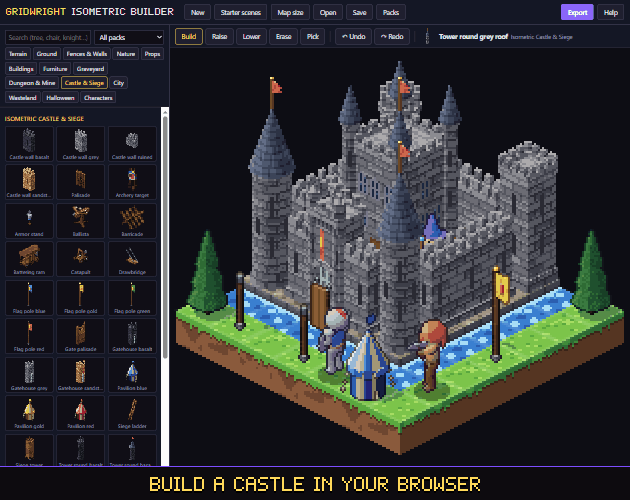
If you want to try a layout before writing any code, the Isometric Builder runs in the browser, has the city's roads, buildings and cars, and every person from this pack can be placed and turned in it. For a whole street plan, see our post on making a modern city map in pixel art.
Checklist
- People a little taller than one storey (about 22 px for 20 px storeys).
- Eight drawn directions, lit like the map.
- An 8-frame walk with a ground speed that keeps the feet planted.
- The anchor between the feet, sorted with props by col + row.
- A separate soft shadow.
- Idle and phone animations for people who wait.
You can use the art from this pack in commercial games, as long as you credit "Art by Gridwright" with a link and do not resell the files themselves. See can I use game assets in a commercial game for the details.