A spell in a pixel art game has a fraction of a second to tell the player what element it is, where it is going and when it hits. At 64 pixels or less there is no room for fine detail to carry that, so shape, timing and contrast do the work. This guide follows a spell from the cast to the impact, with the Godot 4 nodes for each part.
Why small spells get lost
Godot's page on multiple resolutions calls 640x360 a good baseline for pixel art. On that screen a 64x64 effect cell is about a sixth of the height, and the bolt inside it is often half that. A spell that looked rich at 8x zoom turns into a smudge at 1x. Most of the fixes take something away:
- Give each element its own shape: flames and embers for fire, crystals for frost, zigzags for lightning. The same blob in another colour reads as the same spell.
- Keep one bright core and few colours around it. Half-transparent edges blur into the floor.
- Test every effect on your darkest and your lightest ground. A pale holy spell can vanish on sand.
- Keep it short. An effect does its job in its first frames, and a long fade only hides the next attack.
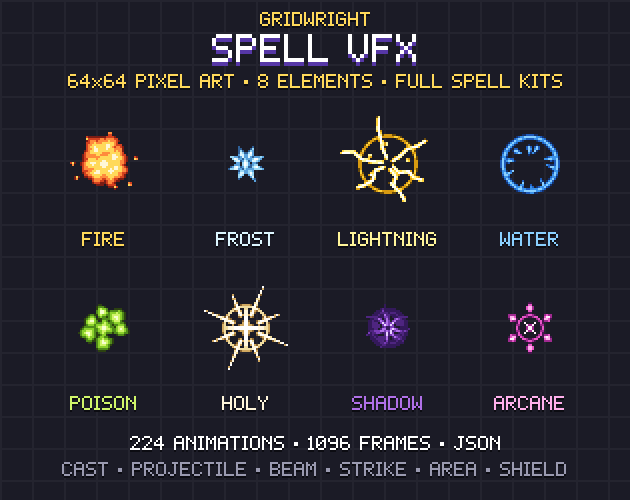
Spell VFX follows those rules: 224 animations on 64x64 cells in eight elements, with 1-bit alpha and no outlines, so they sit on any floor. Every element has the same kit, which also works as a checklist for your own spells: cast, projectile, impact, beam, strike, ground area, aura and shield.
The cast: the warning before the spell
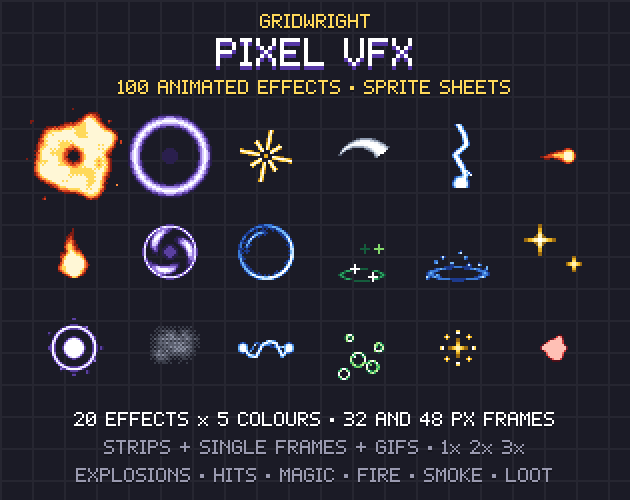
For an enemy the cast is the player's cue to dodge, and for the player it confirms the button worked. In Spell VFX the element gathers in the hand and flashes, and the JSON puts the anchor at the hand. Pixel VFX has a Charge effect, particles gathering into a glowing core, for longer wind-ups.
Spawn the projectile on the flash frame. AnimatedSprite2D emits frame_changed whenever its frame changes, so compare frame with the flash frame and create the projectile there. An enemy's cast can hold its gather frames longer than the player's, which buys reaction time with the same art.
Projectiles: direction, trail and speed
Rotating a pixel sprite to any angle makes its edges jagged, so many packs draw the main directions instead. Spell VFX draws each projectile as a 4-frame loop with a trail in 8 directions. Pixel VFX's projectile, a bolt with a flickering tail, points right, so rotating it is up to you.
To pick a drawn direction, start from the velocity's angle. Godot's Vector2 reference says Vector2.RIGHT.angle() returns 0 and Vector2.DOWN.angle() returns PI / 2, since y points down in 2D. Divide the angle by PI / 4, round it and wrap it into 0 to 7: 0 is right, 2 is down, 4 is left, 6 is up. Map those numbers to the pack's sheet names once. Whether you need eight at all is covered in 8 directions vs 4 directions for sprites.
Speed changes how a shot reads. At 60 frames a second, a bolt at 240 pixels a second moves 4 pixels a frame and is easy to follow. At 900 it jumps 15 pixels between frames and a short head seems to teleport, so faster shots need longer trails.
Beams of any length
A beam's length changes with the target, so it can't be one picture. Spell VFX splits each beam into a start, a body and an end, each a 4-frame loop in sync, in 4 directions. The body repeats every 64 px, and the pack's build checks that every seam joins. In Godot:
- Find the length with a RayCast2D. get_collision_point returns where it hits, in global coordinates. The ray updates every physics frame; force_raycast_update gives the answer at once after you move it.
- Draw the body with a Line2D from the hand to the hit point, with texture_mode set to Tile. The reference says texture_repeat must be Enabled or Mirror for tiling to work. Keep the width equal to the strip's height so the art isn't stretched.
- Put an AnimatedSprite2D with the start loop at the hand and one with the end loop at the hit point.
- A Line2D holds one texture, so load the body's four frames as four textures and swap in the matching one whenever the start sprite emits frame_changed.
The beams come in the four straight directions. A caster aiming diagonally can fire a projectile instead, or the beam can snap to the nearest axis, which also makes it easier to dodge.
Impacts: the frame that says it hit
An impact's biggest, brightest frame should come early, and the rest should clear out of the way. Spell VFX has one impact per element, from explosion and shatter to implosion and rune burst, and its JSON gives the hit frame where damage should land. Put the damage number and the sound on that frame.
- Anchor it at the hit point. The JSON names each sheet's anchor: the hand, the projectile head, the hit point, the ground or the feet.
- Play it once, then connect animation_finished to queue_free. Godot doesn't emit that signal while an animation loops, so switch looping off for impacts.
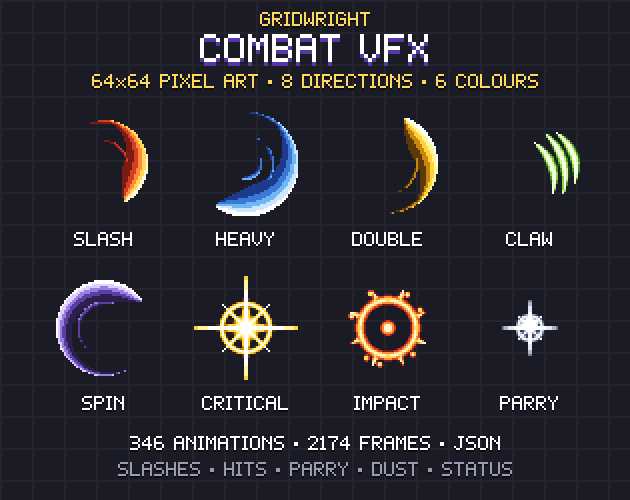
- Give weapons their own impacts. Combat VFX has a hit spark, an impact, a critical hit and a parry in six colours, so a sword and a fireball look different on the same enemy.
- Scale the impact with the damage. Pixel VFX's 32x32 frames suit chip damage next to a full 64x64 spell.
Strikes from above and ground areas
A spell that falls from the sky needs a warning on the ground first. Spell VFX has eight strikes on 64x128 cells, among them a meteor, an icicle and a pillar of light, and eight ground areas as 8-frame loops, such as an ice patch and a rune circle. Show the area where the strike will land, then play the strike with its anchor on the ground.
- Draw ground areas under characters and strikes over them. A node with a higher Z index displays in front, so give each layer its own z_index.
- Keep lasting areas quieter than their strike, so the floor and the enemies on it stay readable.
- Shields form, hold and shatter: play the shatter on the hit that breaks one.
Glow, blend modes and engine particles
A CanvasItemMaterial with blend_mode set to Add makes fire, lightning and holy light glow on a dark floor. On a bright floor the same spell washes out toward white and makes colours outside your palette, so keep Mix for solid things such as ice and poison bubbles, and test both on your real ground.
Extra sparks can come from Godot's particle nodes. The particle systems page recommends GPUParticles2D unless you have an explicit reason not to, and a burst is One Shot with Explosiveness at 1. A particle can play a small sheet too: add a CanvasItemMaterial, enable Particle Animation and set H Frames and V Frames, with the texture filter on Nearest. The Particle FX Baker bakes particles into seamless sprite sheets, and make them or buy them compares the ways to get effects.
Timing that reads
Spell VFX's JSON gives a suggested fps for every sheet, and Pixel VFX plays at 12 fps. In a SpriteFrames resource each frame also has a relative duration: Godot's reference says it lasts that duration divided by the animation's fps times the playing speed. Set the impact's first frame to 2 and it stays twice as long, which gives the hit weight with no new art. speed_scale slows or speeds a whole effect, for a frozen spell or a haste buff.
Watch every effect at 1x before wiring it. The Sprite Animation Previewer plays a sheet at your fps, steps through it frame by frame and marks frames drawn off-centre, the ones that make a projectile wobble in flight.
A spell effects checklist
- Every element has its own shape and reads in one colour.
- The projectile leaves on the cast's flash frame.
- Directions are picked from the velocity's angle.
- Beams are a start, a tiled body and an end in step.
- Impacts sit at the hit point and land with the damage.
- Strikes from above show their area first.
Spell VFX, Combat VFX and Pixel VFX are on Gridwright, each bought once with a free sample to try first. Spell VFX's sample has the fire projectile in all 8 directions, the fire impact, the frost beam, the lightning strike and the holy shield, enough to test a whole chain from cast to impact.
Gridwright packs can be used in commercial games; you may not resell the files themselves. Packs released from October 28, 2026 ask for a credit: “Art by Gridwright” with a link. The three packs here came out before that, so for them a credit is optional. More in can I use game assets in a commercial game.