You draw your first isometric tile, then a second one from another source, and they don't line up. One diamond is a little flatter, the edges step differently, and a wall that should meet the floor floats a pixel above it. Almost always the cause is the same: one piece was drawn in true isometric projection and the other in the 2:1 projection pixel artists use, which is strictly speaking dimetric. This guide explains the difference, why games settled on 2:1, and what the choice fixes for the rest of your art and your engine.
True isometric: three equal axes
In true isometric projection the three axes of space (width, depth and height) are shortened by the same amount and drawn 120 degrees apart on screen. The two ground axes run at 30 degrees from the horizontal. A cube shows three faces of the same size, and a square on the ground becomes a diamond about 1.73 times as wide as it is tall.
For a 3D camera with an orthographic lens, true isometric means turning the scene 45 degrees and tilting the camera down by about 35.26 degrees. That is fine for vector art and renders. For pixel art it is awkward: a 30 degree line climbs one pixel for every 1.73 pixels across, so its steps can't repeat evenly. Some steps are two pixels long and some are one, and the line looks jagged.
Dimetric: two equal axes and the 2:1 line
In dimetric projection two axes are shortened by the same amount and the third by a different one. The pixel art version takes the ground lines at a slope of exactly one pixel down for every two across. That angle is about 26.57 degrees, a little flatter than true isometric, and the ground diamond becomes exactly twice as wide as it is tall: 32x16, 64x32, 128x64.
The 3D camera for it is the same 45 degree turn with a tilt of exactly 30 degrees. If you render 3D models into sprites, set that tilt, or your renders won't sit on hand-drawn 2:1 tiles.
Games and tools call this view isometric anyway, and so do most asset stores. That is fine as long as everyone on the project means the same thing. When you brief an artist or buy assets, say 2:1 and give the diamond size, not only the word isometric.
Why pixel art settled on 2:1
- Clean lines: a 2:1 edge is the same two-pixel step from end to end, so outlines read sharp at 1x and stay sharp when the game scales by whole numbers.
- Easy maths: the diamond is twice as wide as it is tall, so a grid cell turns into screen pixels with halves of the tile size and no rounding.
- Tiles that meet: with whole-pixel steps the edges of two diamonds can be drawn to touch with no gap and no double line.
- Shared sizes: because most isometric pixel art uses 2:1, assets from different packs have a chance of fitting together, provided the diamond size matches too.
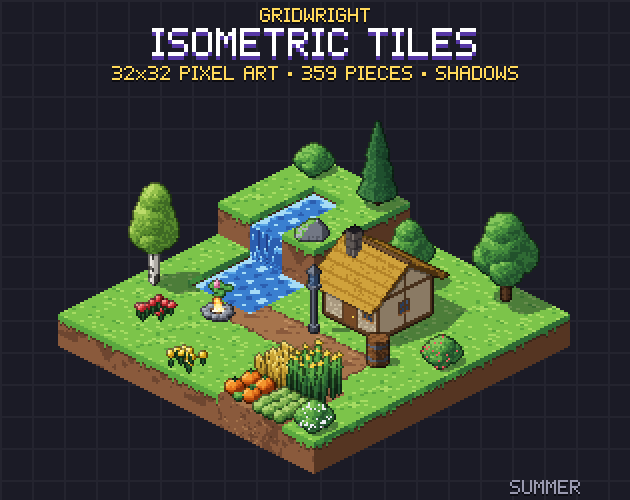
Joining is the detail that decides whether a map looks finished. A diamond's points can be drawn in more than one way, and each way changes whether neighbours overlap by a pixel or leave a hairline gap. In Isometric Tiles the ground diamond is 32x16 and pixel centres never fall on a diamond's edge, so tiles meet with no gap and no overlap; the pack's build checks it.
Height on a 2:1 grid
The ratio fixes the ground, not the height. Projection maths would shorten vertical lines too, but pixel artists pick a height per block that suits the grid, and then every block, wall and building has to follow it.
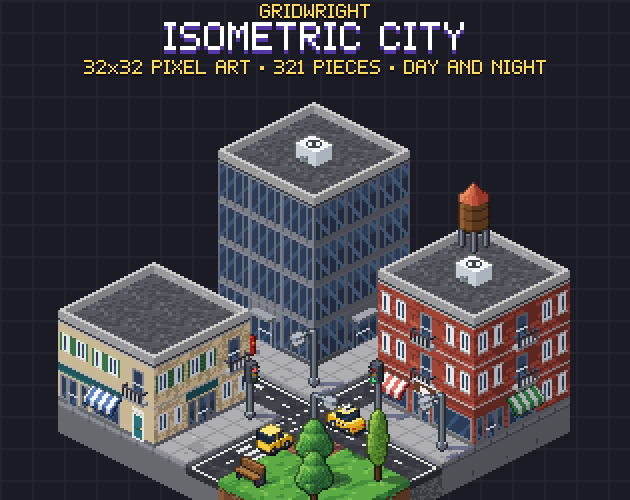
In Isometric Tiles a block is 16 pixels tall on its 32x16 diamond, so a block sprite is 32x32 and every file is a multiple of 16 pixels. Stacking blocks makes hills, cliffs and walls, and a half block makes a step. The modern city kit on the same grid, Isometric City, uses a storey 20 pixels tall that you stack to any height. Both sit on the same 32x16 ground, so a city street and a stone cottage can share one map.
Pick your block height before you draw characters. A character's head height against a door, and a door against a storey, are what make a room read as a room. Change the block height later and every interior piece needs redrawing.
Grid to screen, and back
With a 2:1 diamond of width w and height h, the cell at column c and row r sits on screen at x = (c - r) * w / 2 and y = (c + r) * h / 2. Height lifts a piece straight up by its block height times its level. Going back from a mouse click to a cell solves the same two equations, and the clean halves of a 2:1 tile keep that exact.
Movement follows the same lines. A character walking along a grid axis moves two pixels across for every one down, not along a 45 degree diagonal, so an eight-direction sprite needs its diagonal frames drawn on the 2:1 line. That is why isometric characters are usually drawn in eight directions with the diagonals matching the floor.
Setting it up in Godot 4 and Tiled
In Godot 4 the TileSet's tile shape has an Isometric option, described as a diamond tile shape for an isometric look. The tile size is the rectangle that encloses the shape, so a 32x16 diamond is a tile size of 32x16 even when the sprites are taller. The tile layout decides how cells are numbered: Stacked keeps the axes horizontal and vertical, Diamond Down runs one axis down-right and the other down-left. Godot's docs add that an isometric TileSet works best when the sibling TileMapLayers and their parent all have Y-sort enabled.
Tiled supports projected isometric and staggered isometric maps. Projected isometric is the diamond-shaped map most games use; staggered fills a rectangle with offset rows, which suits maps that must fill a screen edge to edge. Our step-by-step guide to an isometric tilemap in Godot 4 walks through the settings with real tiles.
Interiors and draw order
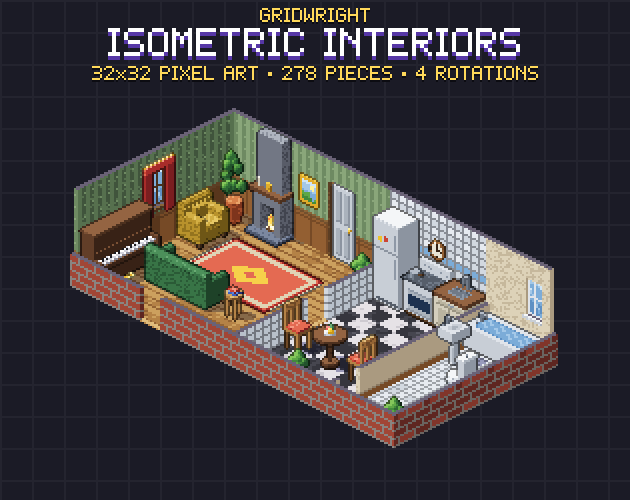
Walls show the projection's flaws fastest. A back wall runs along one 2:1 line, its corner turns onto the other, and furniture against it has to be drawn in the same angle in every rotation. Isometric Interiors uses the 32x16 floor diamond with walls in 6 finishes, full and cut-away, and 25 pieces of furniture drawn in all 4 rotations, each drawn on its own rather than mirrored, so the light stays on the same side.
Draw order is the other half. Sort by the cell's depth (row plus column), then by height, and draw a tall object with the cell it stands on. Our comparison of isometric and top-down pixel art, linked at the end, covers sorting and collisions in both views.
A quick check before you mix assets
- Measure the ground diamond: width must be exactly twice the height, and the same size in every pack.
- Count the edge steps: two across, one down, all the way, with no single-pixel steps.
- Compare block heights: a block or a storey from one source next to one from the other.
- Check the light: the lit face should be on the same side in every piece, including mirrored rotations.
- Place a character in a doorway: the head against the door tells you at once if the scales agree.
Which to use
For pixel art, use 2:1. True isometric is for vector art and 3D renders that aren't snapped to a pixel grid, and even 3D games that want a pixel look usually render at the 30 degree tilt so their sprites sit on 2:1 tiles. If you are still deciding between isometric and a flat top-down camera, read isometric vs top-down pixel art first, and high top-down vs low top-down for the top-down side.
The three packs named here share one 32x16 diamond: Isometric Tiles for terrain, blocks and buildings, Isometric Interiors for the insides, and Isometric City for modern streets. Every piece of them is inside the Isometric Builder, so you can lay one scene out in the browser and see the grid hold together before you commit.
Gridwright packs can be used in commercial games; you may not resell the files themselves. Packs released from October 28, 2026 ask for a credit: “Art by Gridwright” with a link (each pack’s LICENSE.txt says which applies). More in can I use game assets in a commercial game.