A zombie game lives or dies on its horde. One shambling enemy is a mood; five kinds of zombie that each ask the player for a different answer are a game. This guide covers which zombie types to plan for, which animations every enemy and survivor needs, and the sprite data that saves you hours when you wire them into an isometric engine such as Godot, Unity or GameMaker.
Start with the question each zombie asks
Every enemy type should change what the player does. If two zombies only differ in colour and health, merge them. A useful first roster for a survival game looks like this:
- The walker: slow, common, dangerous in groups. It teaches the player to keep moving and to watch their back.
- The runner: fast and fragile. It punishes standing still and rewards a quick shot or a well-timed swing.
- The crawler: low to the ground and easy to miss. It turns the floor into a threat and works well in tall grass, rubble and dark rooms.
- The spitter or bloater: attacks from range with a projectile. It forces the player out of cover and gives you a reason for dodge or sprint.
- The armoured zombie: shrugs off light weapons. It makes the player switch weapons or aim for a weak spot.
- The screamer: weak alone, but its shriek calls the rest of the horde. It creates a priority target and a clock.
Six types is enough for a whole campaign if you mix them by area and by wave. Add new ones only when a level needs a new question.
The animations every zombie needs
Players read enemies by their motion long before they read health bars, so each animation has a job. Keep the set small and make every one count:
- Idle: a few frames of breathing or twitching so a waiting zombie still looks alive (or undead).
- Move: a walk, a run or a crawl. Its speed must match the stride, or the feet slide across the ground.
- Attack: a clear wind-up before the hit frame, so the player can react. Mark the hit frame in your data.
- Hurt: two or three frames of recoil. Short is better: it confirms the hit without stopping the action.
- Death: a fall that ends on a held frame, so bodies can stay on the map.
- Spawn: a zombie climbing out of the ground explains where the horde comes from and gives the player a moment to react.
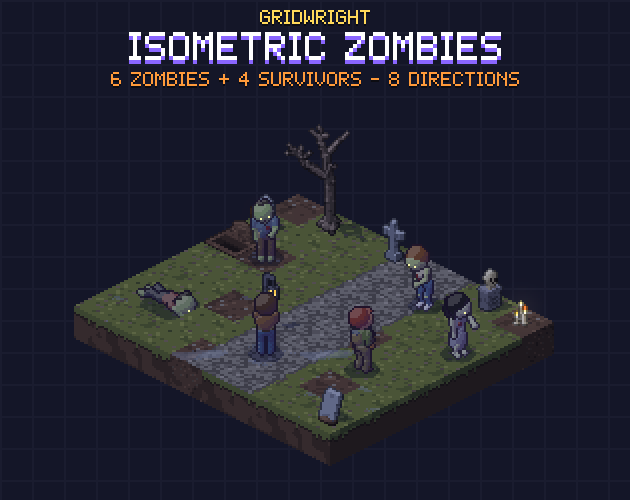
Our Isometric Zombies & Survivors pack follows this list: six zombie types (Walker, Runner, Crawler, Bloater, Riot Zombie and Screamer), each with idle, move, attack, hurt, death and a rise out of the ground.
Survivors need the same care
The player character and allied survivors are on screen the whole time, so their animations are seen more than any enemy's. A survivor needs idle, walk, run, an attack per weapon type, hurt and death. Two details matter most:
- Guns need a flash on the frame they fire and a point where the bullet leaves the barrel. Without that point, bullets appear from the survivor's chest and the shot looks wrong in half the directions.
- Melee weapons need a hit frame and a hit box that follows the weapon, not the body.
A support role such as a medic adds a non-combat loop, like kneeling over a med kit, which gives your squad or base screens something to show between fights.
Eight directions or four?
Isometric games move along diagonals, so a character that can only face four ways looks like it slides sideways half the time. Eight directions fix that. Many packs save work by mirroring the left-facing frames to make the right-facing ones, but then the pistol jumps from the right hand to the left. If handedness, held items or asymmetric armour matter in your game, use sprites where every direction is drawn on its own. Our guide to modular isometric characters shows how layered characters keep every direction drawn.
The sprite data that saves you time
The art is half of a sprite pack. The other half is the data you would otherwise measure by hand in an editor. Before you buy or make enemy sprites, check for:
- One fixed cell size and one anchor point (the spot on the ground under the feet), the same for every frame.
- Frames per second and whether each animation loops.
- Hit frames and a hit box for each direction.
- Spawn points for projectiles per direction: muzzles, spit, thrown objects.
- A move speed per direction that matches the walk cycle.
- Every frame as its own PNG as well as in sheets, for engines and tools that prefer one or the other.
- No shadows baked into the frames, so you can draw one shadow sprite under the anchor and sort it with the map.
With an anchor and a fixed cell, placing a character on an isometric map is one formula: x = X0 + 16 (col - row), y = Y0 + 8 (col + row) for a 32x16 diamond, then draw the frame offset by the anchor. Sort characters with the map tiles by col + row so they pass behind walls and in front of fences correctly. Our isometric tilemap guide for Godot 4 shows the same grid set up as a TileMap.
Build the world around the horde
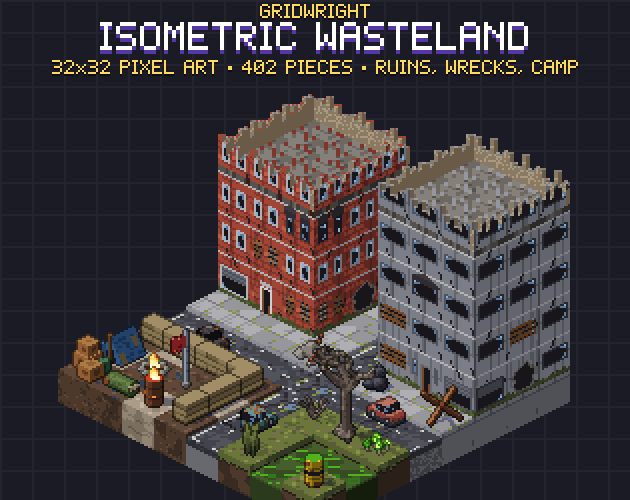
Zombies need places to come from and places to trap the player. Ruined streets, wrecked cars and barricades give the walker crowds lanes to fill; graveyards and crypts give risers a reason to climb out of the ground. Our Isometric Wasteland has ruined storeys, wrecks and a survivor camp on the same 32x16 grid, and the post-apocalyptic map guide walks through laying one out.
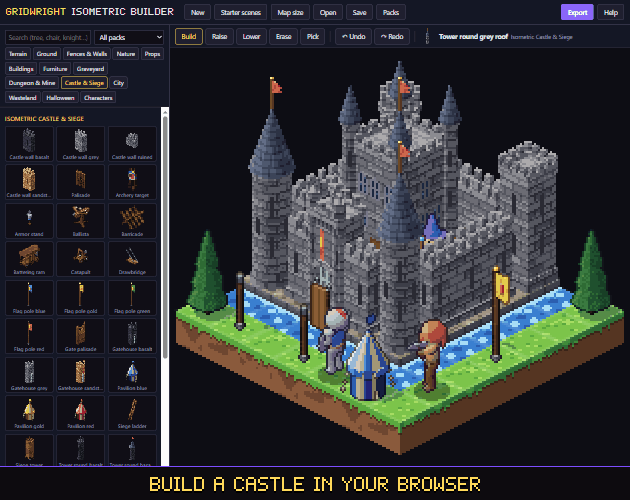
To try layouts before you write any code, place characters and tiles together in the Isometric Builder, which runs in the browser and exports to Godot and Tiled.
A simple wave plan to start with
- Wave 1: walkers only, so the player learns movement and aim.
- Wave 2: walkers with two runners, so standing still becomes a mistake.
- Wave 3: add a bloater behind cover, so the player has to push forward.
- Wave 4: crawlers in the dark corners and an armoured zombie at the front.
- Wave 5: a screamer that calls a double wave if the player does not reach it in time.
Each wave adds one new question, which keeps the difficulty curve readable and makes every zombie type feel useful.
Licence
Gridwright packs can be used in commercial games; you may not resell the files themselves. Packs released from October 28, 2026 ask for a credit: “Art by Gridwright” with a link (each pack’s LICENSE.txt says which applies). Read more in can I use game assets in a commercial game.