Players notice animals more than tiles. A cat asleep by the fire sells a cozy game in one screenshot, and a dog that follows the player is remembered long after the map is forgotten. The trouble is the number of frames. An animal that slides across the grass on two walk frames looks like a cut-out, and one that only ever walks looks like a moving prop. A convincing animal needs an idle, a walk, something it does on its own, and a way to rest, in every direction it can face. This guide covers the animation set an animal needs, how to keep its feet from sliding, simple behaviour code, and how pets, farm animals and wildlife differ.
The animation set an animal needs
- Idle: a small loop of breathing or a tail flick, for when it stands still.
- Walk and run: the walk for wandering, the run for fleeing or following.
- Eat: grazing, pecking or rooting, the most natural thing to do between walks.
- Sleep: lying down or curled up, for night or for a pet by the fire.
- Attack, hurt and dead: for wildlife, hunting and survival games.
- For birds: hop, peck, take-off, fly and land.
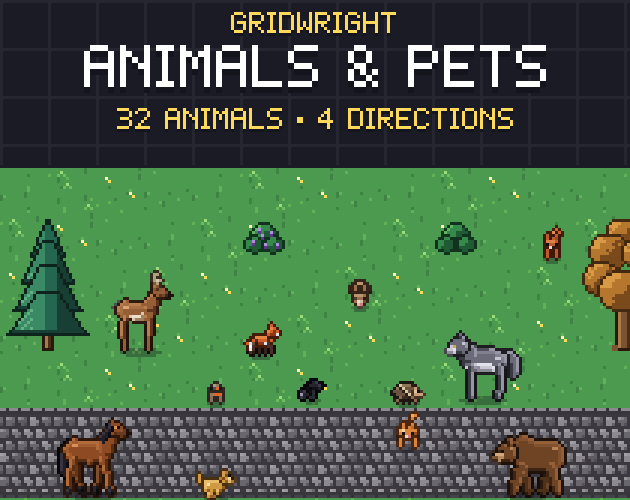
Animals & Pets uses exactly that set. Every four-legged animal has idle 2, walk 4, run 4, eat 2, sleep 2, attack 2, hurt 1 and dead 1 frames, 18 in all, in 4 directions. The birds have idle 2, hop 4, peck 2, take-off 2, fly 4, land 2, hurt 1 and dead 1. That is 72 frames per animal and 2,304 frames across its 32 animals from 15 species, with one sheet per animal in the same layout (18 columns by 4 rows), so the same code plays any of them.
Walk cycles: keep the feet from sliding
The most common animal bug is a walk that doesn't match the speed. The legs say one pace, the movement code says another, and the animal skates. The fix is to set the speed from the art, not the other way round: one walk cycle should move the animal as far as its feet travel in that cycle. Watch one foot pixel against the ground while it walks; if the foot drifts while it should be planted, the speed or the frame rate is off.
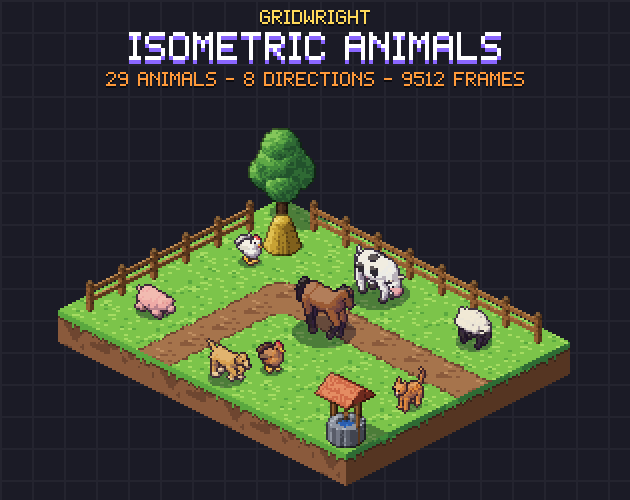
Isometric Animals does this in the data. Its legs are two-bone legs with planted feet, a four-beat walk, and a gallop, bound, trot or hop to run, and each animal's JSON gives the walk and run speed per direction that matches the stride. In Godot 4, an AnimatedSprite2D's speed_scale changes the playback speed (1 is normal, 2 is double), which helps when one animal type moves faster than another but shares a sheet layout. To check a sheet's frame rate before it goes into the game, the Sprite Animation Previewer plays a sprite sheet in your browser with a set fps, ping-pong, flip and onion skin, and saves a Godot SpriteFrames file.
Idle loops and simple behaviour
An animal comes alive when it decides things on its own. A small state machine is enough for most games: stand for a few seconds, walk to a random spot nearby, eat, stand again, and lie down to sleep at night. Wildlife adds a flee state when the player comes close, and farm animals can head back to the barn in the evening.
- Idle: play the looping idle and start a Timer with a random wait.
- Wander: pick a point a few tiles away and play the walk until it gets there.
- Eat: play the eat animation a few times, then go back to idle.
- Sleep: at night, play sleep until morning.
- Flee: for wildlife, run away from the player when they come within range.
In Godot 4 the signals do the timing. AnimatedSprite2D emits animation_finished when a one-shot animation reaches its end, but the docs note that it is not emitted for a looping animation; a loop emits animation_looped each time it starts over. So set eat, attack, hurt and dead to play once and wait for animation_finished, and count animation_looped or use a Timer for the idle and the walk.
4 directions or 8
Top-down 16x16 games usually need 4 directions. Animals & Pets has down, left, right and up on every sheet, and the left row is drawn out, so there is no flipping. That matters more than it seems: mirroring a sprite with flip_h also mirrors its light and its markings, so a spotted coat changes side when the animal turns. Isometric games need 8 directions, and Isometric Animals draws all 8 with none mirrored. Our post on 8 directions vs 4 directions for sprites covers how to pick the row from the movement.
Pets: animals that react to the player
A pet is an animal with one more rule: it cares where the player is. Following is the base of it. When the distance to the player grows past a few tiles, walk towards them; when it is close, stop and idle, sit or lie down. Animals & Pets has cats in 5 coats (orange tabby, black, white, grey tabby and calico), dogs in 4 and rabbits in 3, each with sleep and eat frames for the quiet moments. The Farm RPG pack adds sit and being-petted columns for its dogs and cats, for the moment the player kneels down. For a game built around one pet, with hunger, moods and growing up, read how to make a virtual pet game.
Farm animals and wildlife
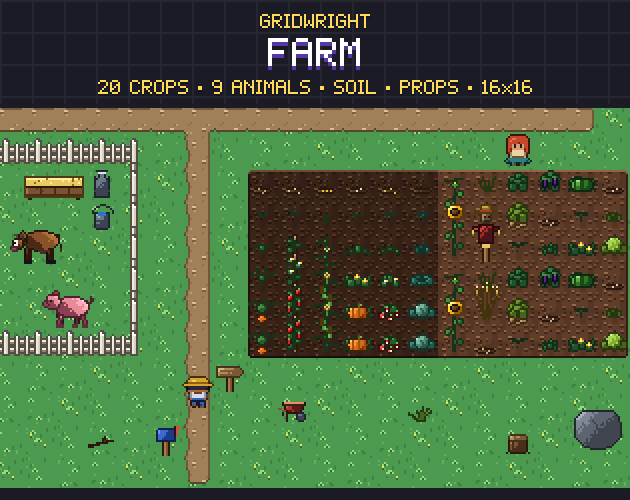
Farm animals are part of the farm's work loop, so their states should follow the game's items. Farm has 9 animals and 144 frames: a white chicken, a brown chicken, a chick and a duck at 16x16, and a spotted cow, a brown cow, a sheep, a sheared sheep and a pig at 32x32, each with idle, walk and eat, drawn facing right and left as their own files. Its goods include eggs, milk and wool, so a shearing tool can swap the sheep for the sheared sheep and drop wool. Chickens can lay on a timer, and the cow can give milk once a day, so each animal has a reason to be visited.
Wildlife needs the fighting frames. Animals & Pets has red and arctic foxes, red and grey squirrels, a hedgehog, a doe and a stag, grey and white wolves, a boar and brown and black bears, all with attack, hurt and dead. In Isometric Animals, 14 species in 29 coats fall onto their side and stay down when they die, and each JSON gives the hit frame and the hit box for each direction, so a hunting game can check hits without guessing.
Sizes, cells and shadows
Keep animals on cells that are whole multiples of the tile size, with the feet on the bottom row, so they line up with the ground and sort correctly. Animals & Pets uses 16x16 cells for small animals and birds and 32x32 for the big ones, with every frame in its cell and nothing cut off. Isometric Animals uses one 64x64 cell with the anchor always on the same point, (32, 46), the centre of a ground diamond. Neither pack bakes shadows into the frames: each ships separate shadow sprites to draw under the animals, at the opacity you like.
Gridwright packs can be used in commercial games; you may not resell the files themselves. Packs released from October 28, 2026 ask for a credit: “Art by Gridwright” with a link (each pack’s LICENSE.txt says which applies). More on that in can I use game assets in a commercial game.